
The Private Store settings allow you to control who can view product prices and access your store content. This is useful for B2B businesses that want to restrict pricing information to registered wholesale customers and keep their store private from guest visitors.
Toggle Private Store Mode
Enable this option to hide your store from guest and B2C customers.
Force Redirect URL
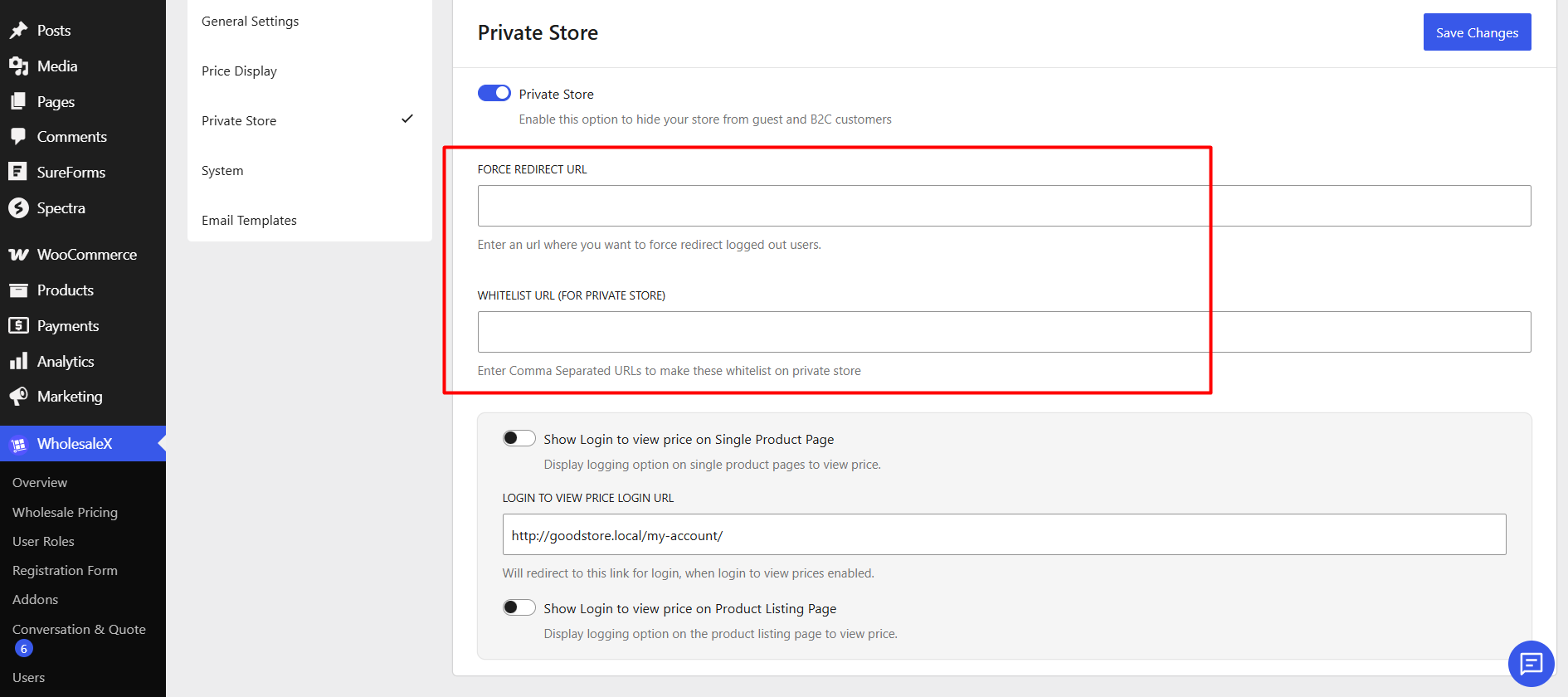
This setting allows you to define a destination URL for logged-out users.
So, when users attempt to access restricted store content, they will automatically be redirected to the specified URL.
Whitelist URL (For Private Store)
Whitelist URLs allow specific pages to remain publicly accessible even when Private Store mode is active.
Enter one or more URLs separated by commas. These pages will remain accessible to all visitors, including logged-out users.
Common Pages to Whitelist:
- Login Page
- Registration Page
- Contact Us Page
- About Us Page
- Terms & Conditions
- Privacy Policy
- Wholesale Registration Form
Hide Prices from Guest/B2C Users
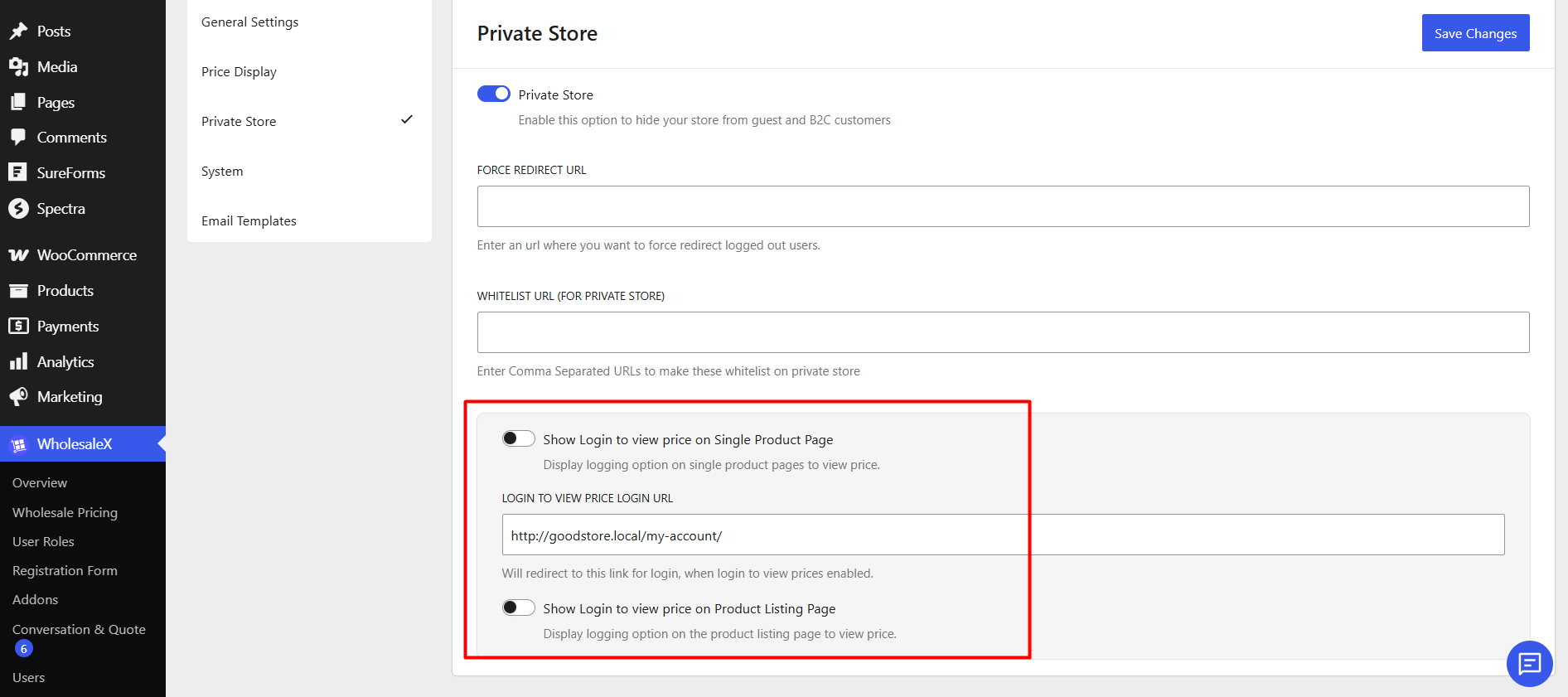
Enable this option to hide product prices from guest visitors and B2C customers.
Show Login to View Price on Single Product Page:
Enable this option to display a “Login to View Price” option on individual product pages.
Login to View Price Login URL:
Allows you to set the page users should be redirected to when they click the login prompt. By default, it’s redirected to your store’s My Account page.
Show Login to View Price on Product Listing Page:
Enable this option to display the “Login to View Price” option on shop, category, and other product listing pages.