
Wholesale Registration Form for WooCommerce
Build custom registration forms to collect business information and register wholesale users.
 4.9 out of 5 based on 450+ reviews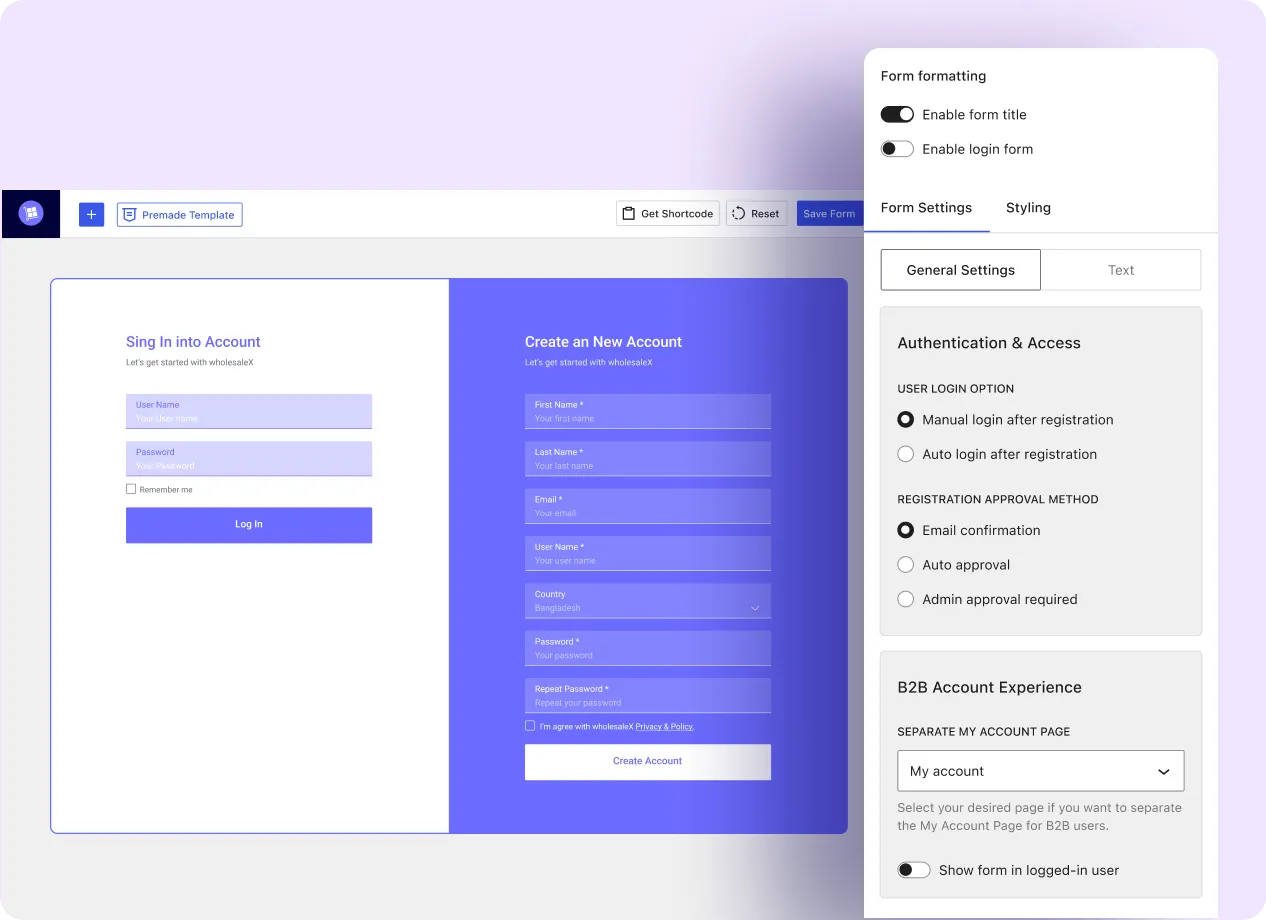
Everything You Need to Build a Wholesale Registration Form
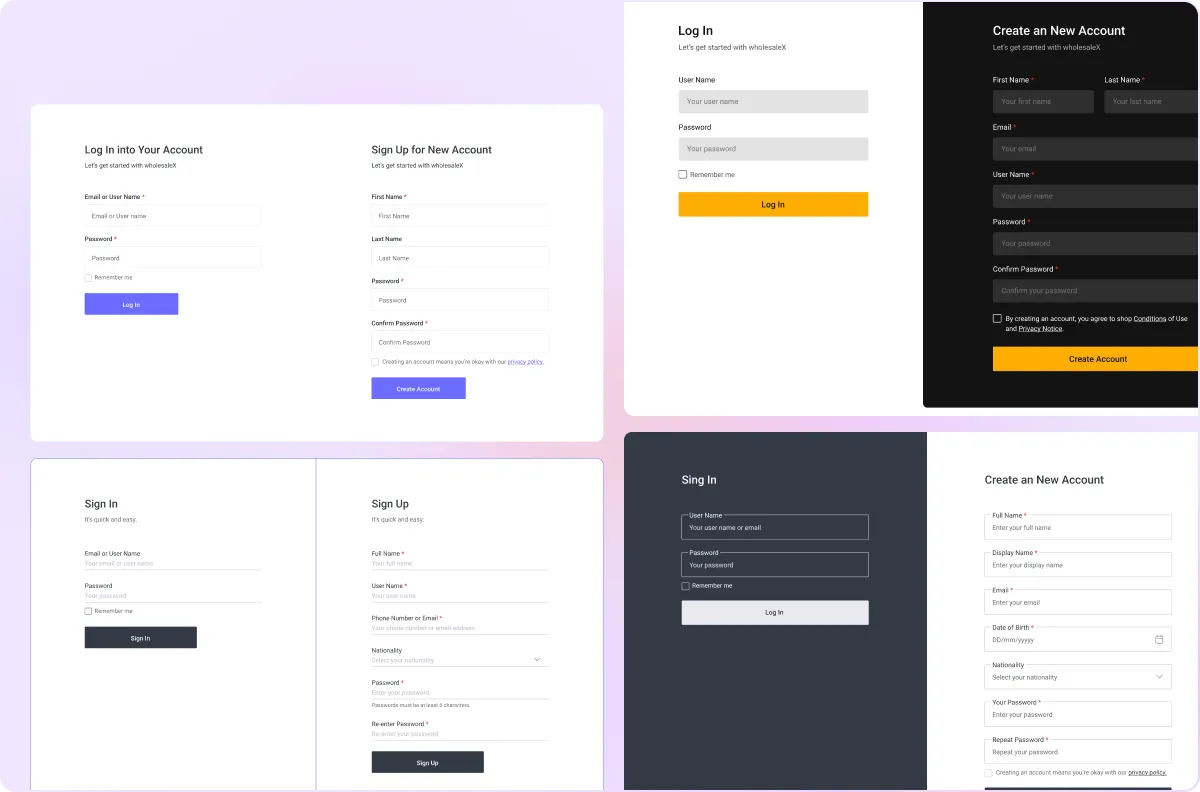
Premade Registration Templates
Use ready-made form layouts to create a wholesale registration page.
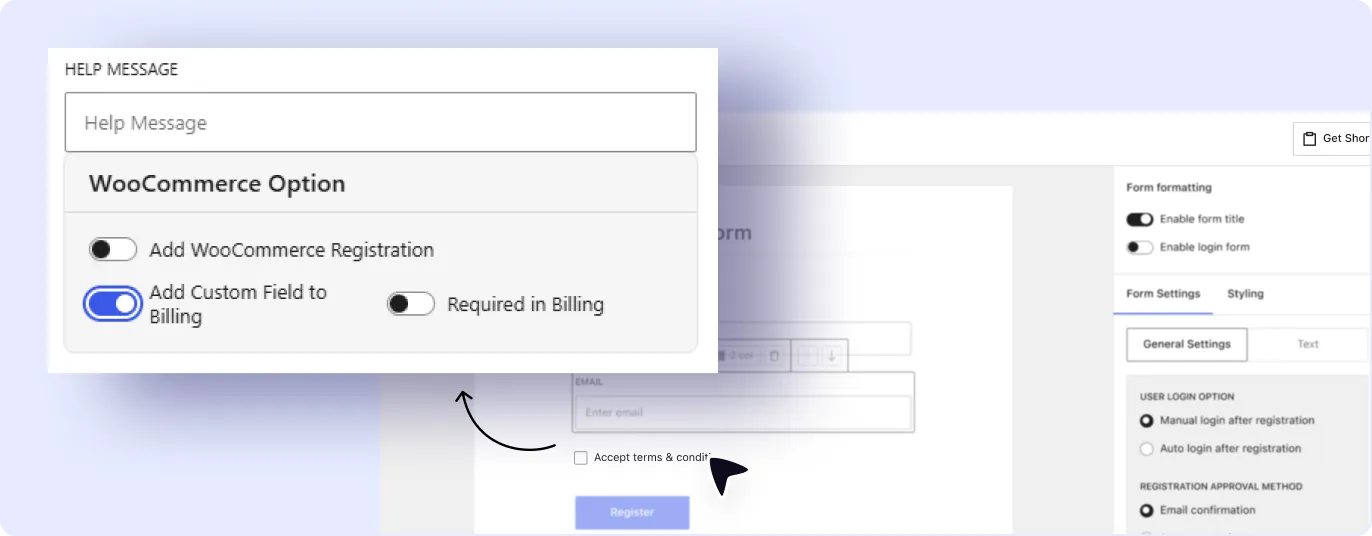
Add Fields to Registration and Billing Form
Add custom fields such as company name, tax ID, phone number, or business address to WooCommerce registration and billing forms.
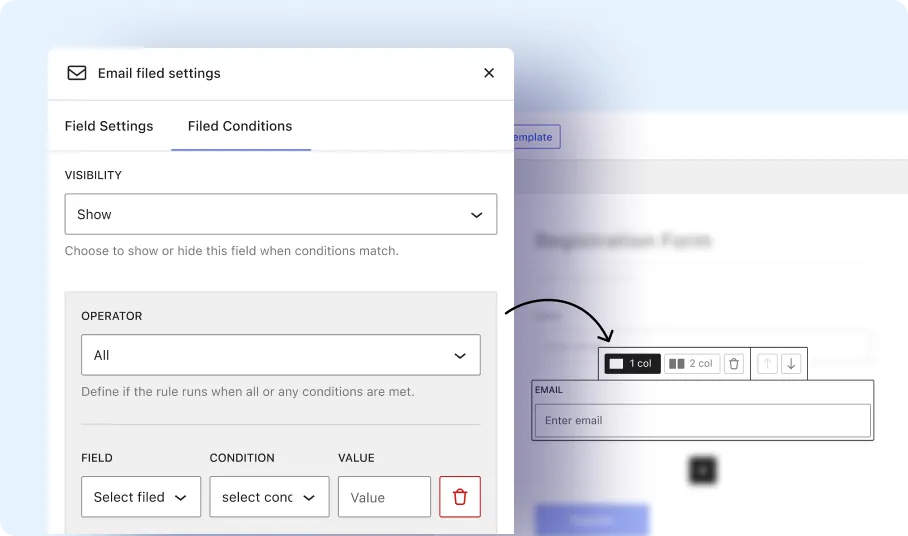
Dynamic Conditional Fields
Show or hide specific form fields based on the information entered by the user.
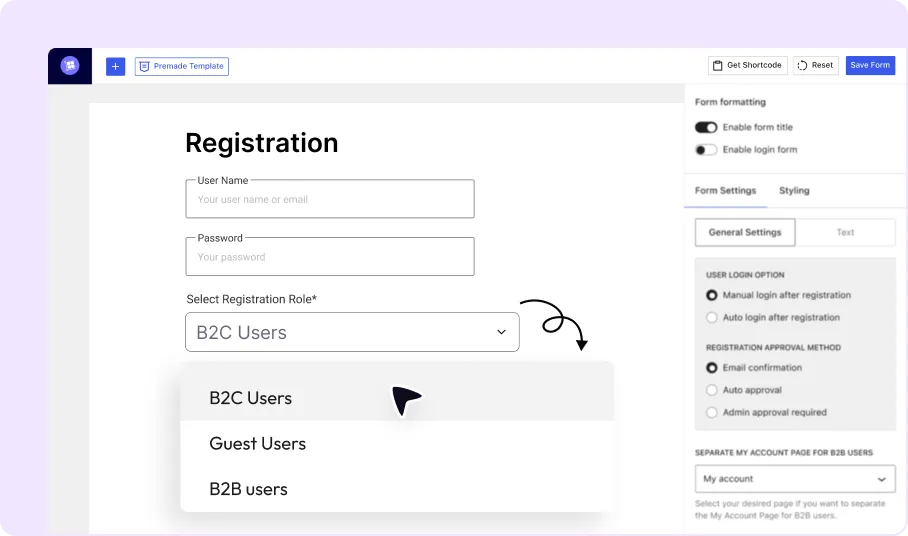
User Role Selection
Allow applicants to choose or request a specific user role during registration.
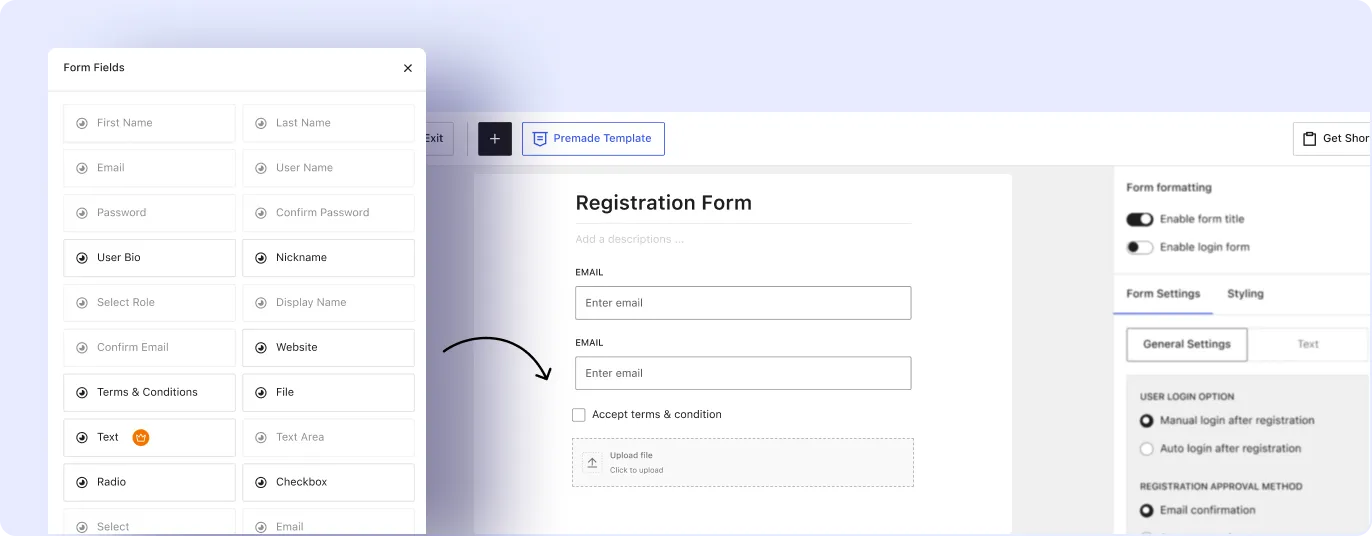
Additional Custom Fields
Add text fields, checkboxes, file uploads, and other field types to collect required business details.
Benefits of WooCommerce Registration Forms
Wholesale registration forms help store owners collect customer information and manage account approval from a structured form.
Simplify Wholesale Customer Registration
Give wholesale customers a dedicated registration form instead of the default WooCommerce signup.
Collect Customer and Business Information
Collect required customer details, business credentials, and account information during signup.
Automate Registration Approval
Approve registration requests automatically when the selected approval conditions are met.
Assign User Roles Automatically
Assign approved users to the correct customer role based on the registration form settings.
Improve Customer Onboarding
Send account notifications and give users access to the store after their registration is approved.
Reduce Manual Registration Management
Manage registration requests, approvals, and role assignment through a structured digital workflow.
Build a Custom Wholesale Registration Form in Minutes
A wholesale registration form can be created by adding fields, configuring form settings, and placing the form on a page.

Add & Customize Fields
Add the required form fields and adjust their labels, field types, and display settings.

Configure Registration Form
Set form rules, user role options, approval settings, and notification preferences.

Copy and Paste Shortcode
Place the registration form on a WordPress page using the generated shortcode.
Frequently Asked Questions
Find answers to the most common questions about the wholesale registration form builder.
Feel free to contact our support team if you have any questions, need assistance, or require guidance. We’re always happy to help and ensure you have the best possible experience.
Start Building Your Wholesale Registration Form Today
Create a custom wholesale registration form to collect business details and manage customer applications.