
User Roles for WooCommerce Wholesale Business
Create and manage customer segments to apply specific pricing, visibility, registration, payment, shipping, and tax rules.
 4.9 out of 5 based on 450+ reviews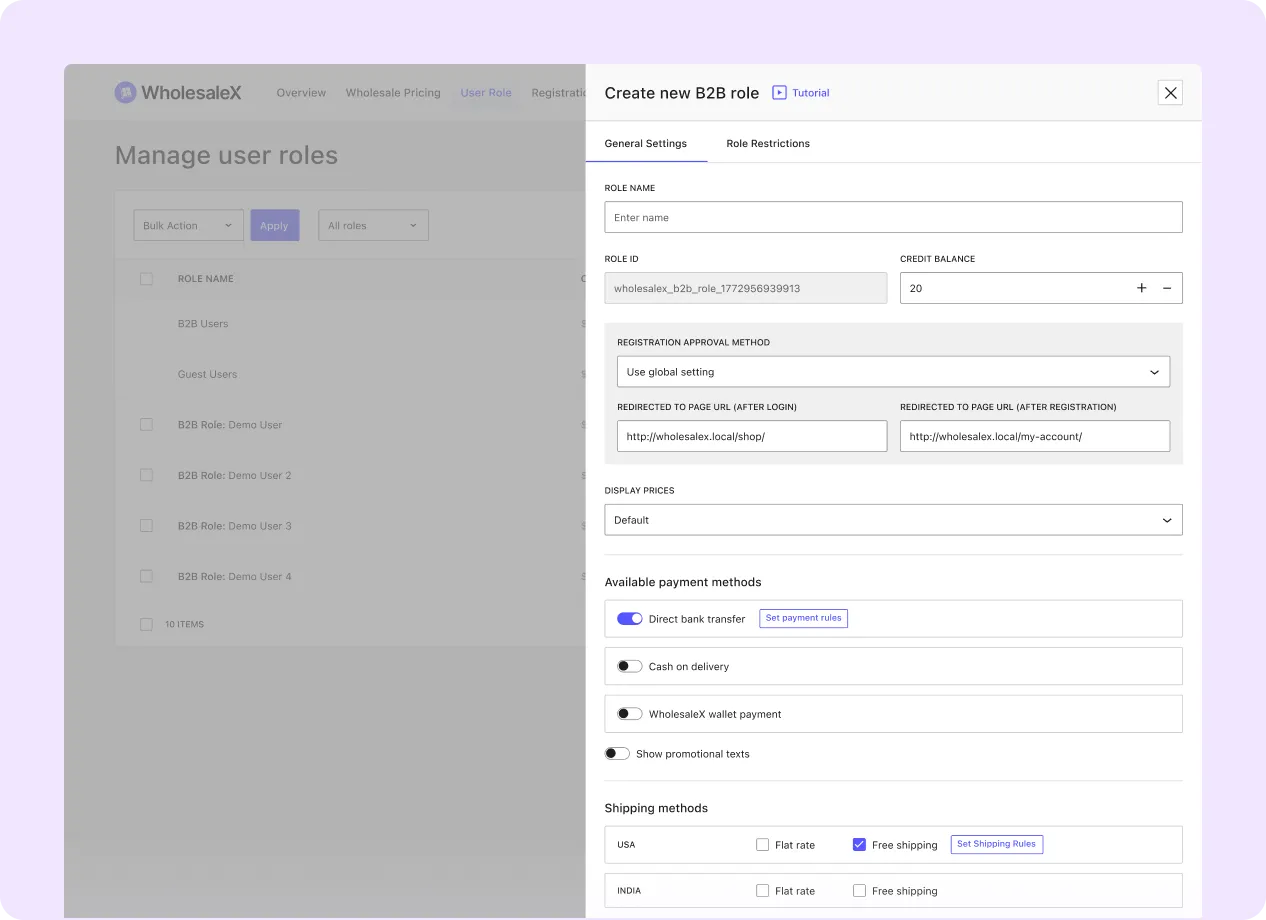
Benefits of User Roles
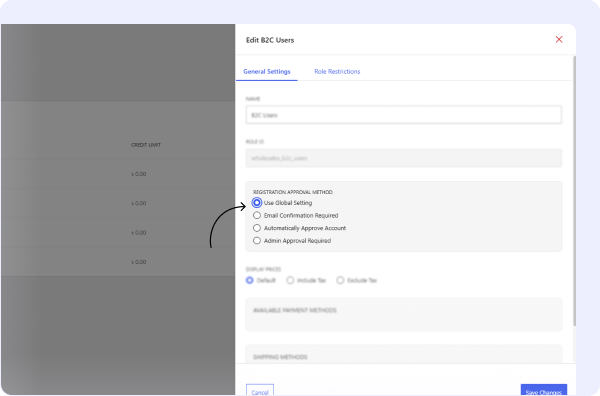
Role-Based Registration Approval Methods
Set automatic or manual approval methods for registration requests based on the selected user role.
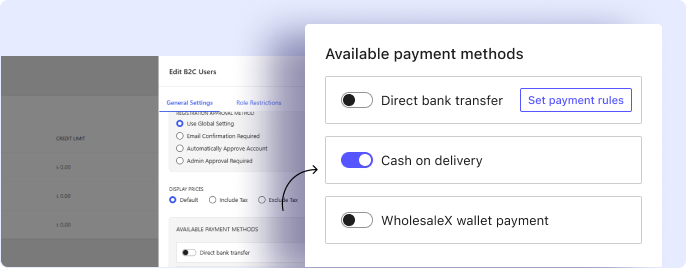
Role-Based Payment Methods
Show or restrict specific payment gateways at checkout according to the customer’s assigned role.
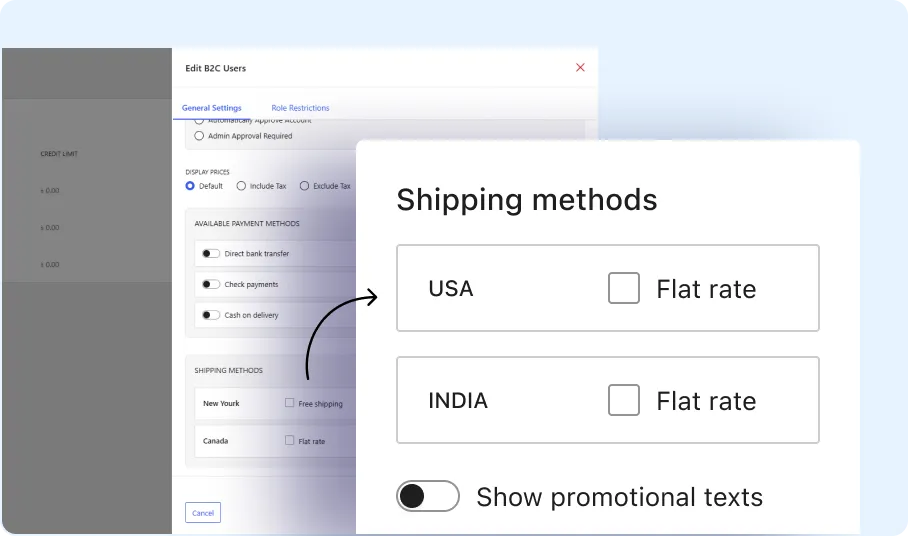
Role-Based Shipping Methods
Assign specific shipping methods or delivery options to selected customer roles.
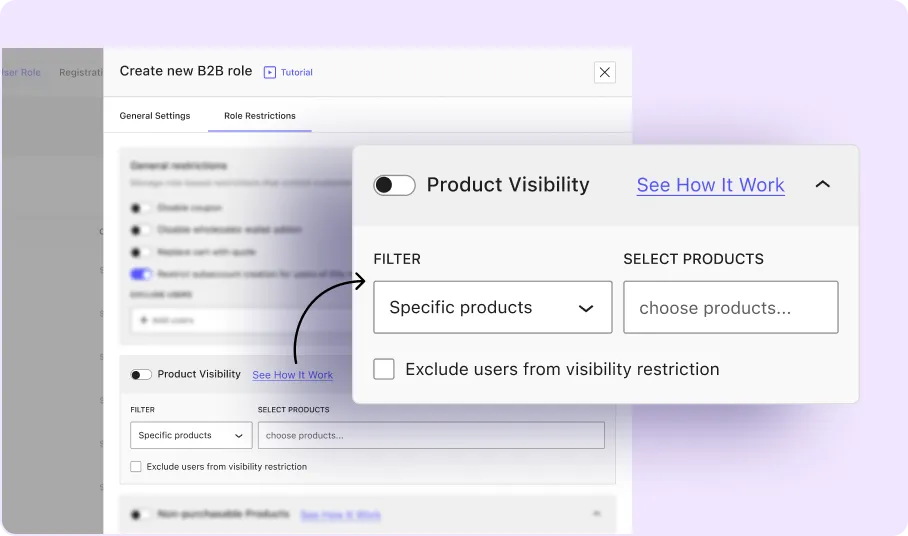
Product Visibility by User Role
Show or hide products and categories based on the logged-in customer’s role.
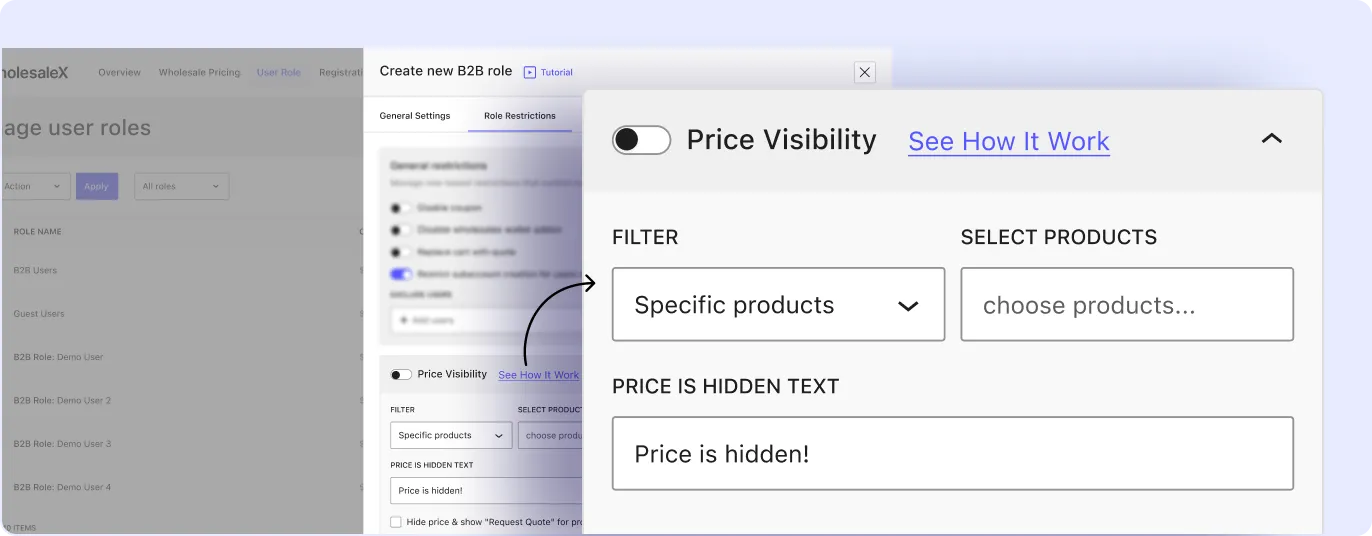
Price Visibility by User Role
Control which customer roles can view product prices and wholesale pricing details across selected products in your store.
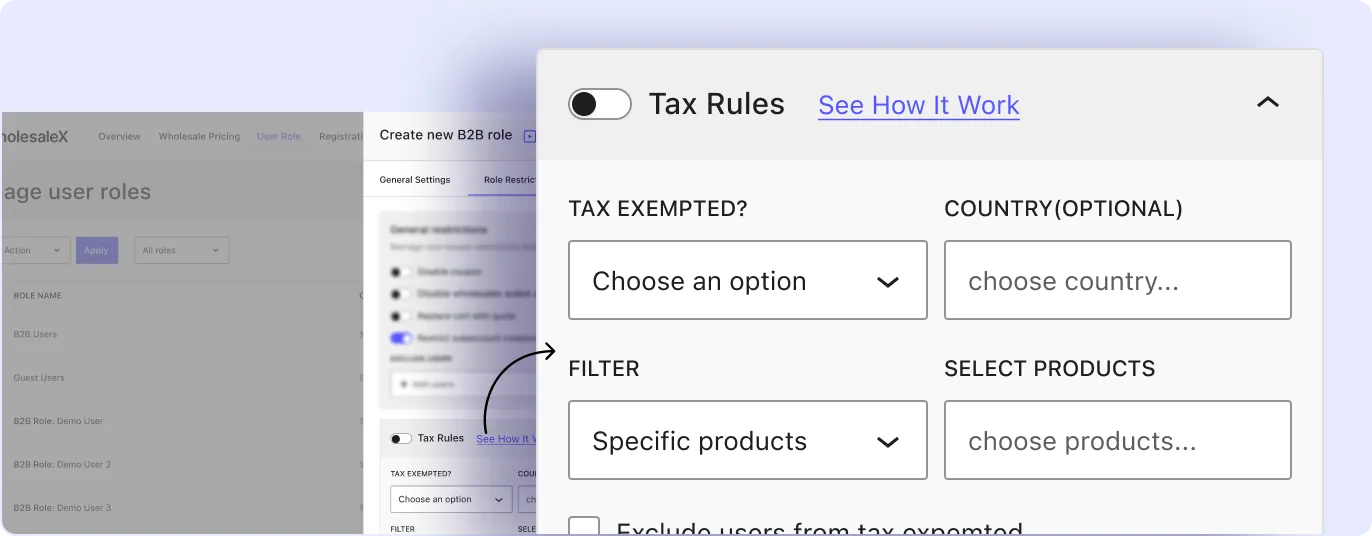
Role-Based Tax Rules
Apply tax exemption settings to selected customer roles, with optional country-based conditions.
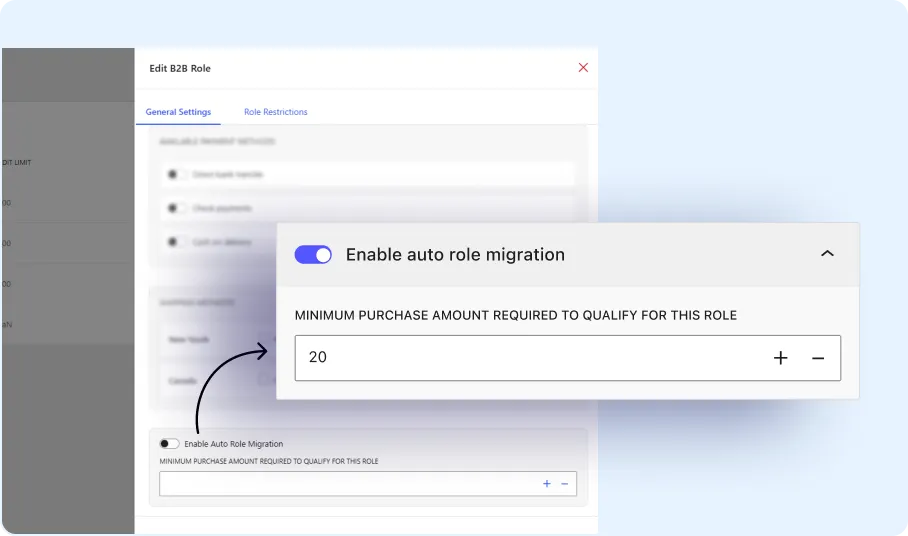
Auto Role Migration
Move customers to another role automatically when they meet defined purchase or spending conditions.
Types of User Roles for WooCommerce
You can organize retail shoppers, wholesale buyers, guests, and custom business segments.

B2B Customer
A business buyer role used to access wholesale pricing, checkout rules, and role-specific store settings.

B2C Customer
A standard customer role for retail shoppers who use regular product pricing and store settings.

Guest User
An unregistered visitor who interacts with the store before logging in or creating an account.

Custom User Roles
Additional customer roles created to match specific pricing tiers, partner groups, or business requirements.
Steps to Create User Roles
You can create user roles in three simple steps: naming the role, selecting an approval method, and defining role-specific restrictions.

Add Role Name
Enter the name of the customer segment that will be used to identify the role in the dashboard.

Set Approval Method
Choose whether users requesting this role should be approved automatically or reviewed manually.

Add Role Restrictions
Define the store rules, purchasing requirements, and visibility settings for the selected role.
Frequently Asked Questions
Explore these frequently asked questions about user roles to understand how it works and decide if they’re the right fit for your B2B store.
Feel free to contact our support team if you have any questions, need assistance, or require guidance. We’re always happy to help and ensure you have the best possible experience.
Create and Manage Wholesale User Roles with Ease
Set up wholesale user roles and assign role-based store rules from one place.