
The Wholesale Price page is the central hub for managing your wholesale pricing rules. From here, you can create, organize, search, import, and manage all pricing strategies, including wholesale pricing, product discounts, cart discounts, buy x get 1 discounted, and BXGY promotions.
Management Tools
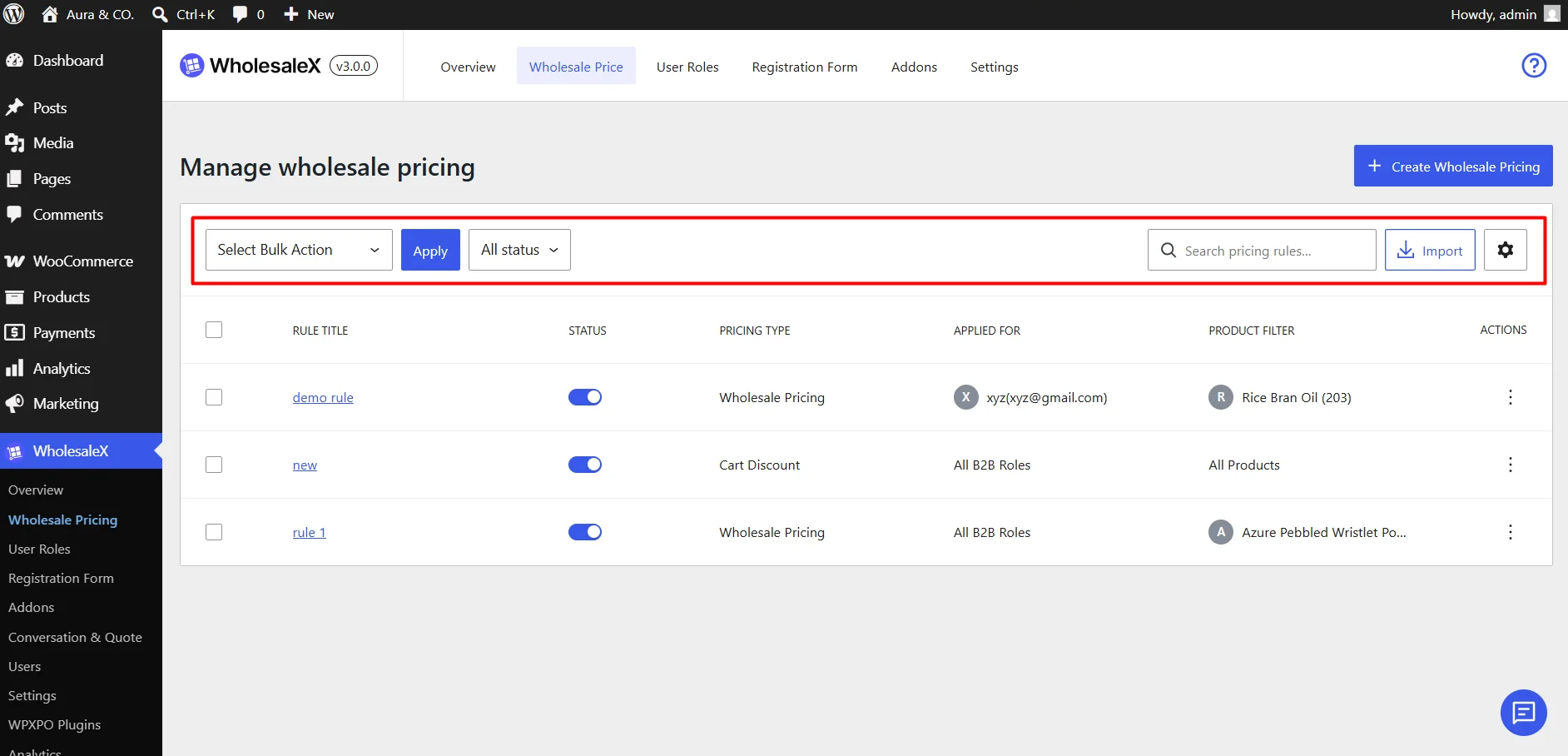
The toolbar above the rules table provides quick access to rule management features:
- Bulk Actions – Apply actions(enable, disable, delete and export) to multiple selected rules at once.
- Status Filter – View all, active, or inactive rules.
- Search – Quickly find rules by name.
- Import – Upload pricing rule configurations into your store.
Pricing Rules Table
The rules table displays all pricing rules and their key details. The columns are:
- Checkbox: Select rules for bulk actions.
- Rule Title: Rule name. Click to open the editor.
- Status: Enable or disable a rule using the toggle.
- Pricing Type: Displays the rule type.
- Applied For: Shows the affected customer roles or groups.
- Product Filter: Displays targeted products, categories, or variations.
- Actions: Additional options such as edit, duplicate, or delete.
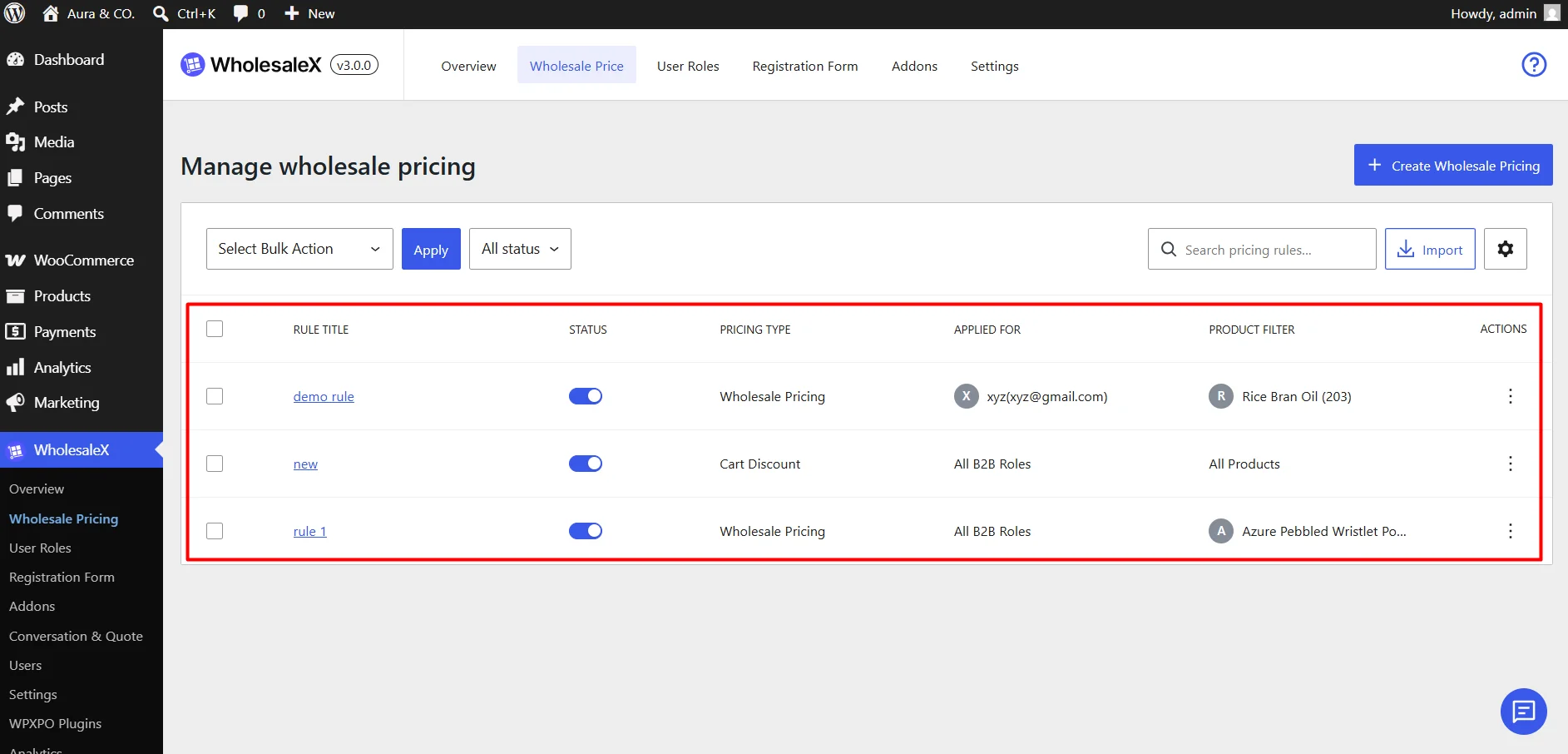
Table Appearance
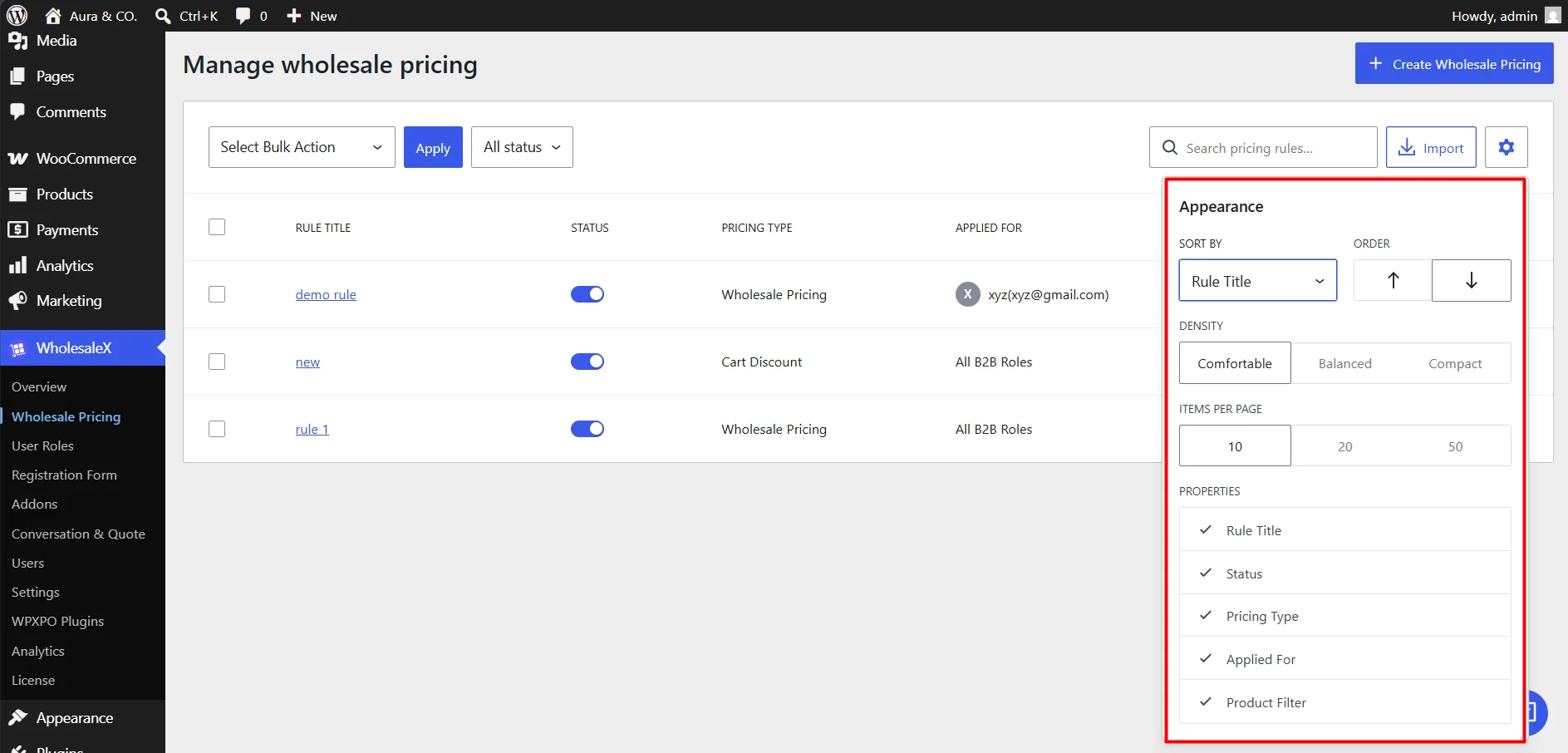
Click the Gear Icon in the top-right corner of the table to customize its display.
| Setting | Description |
|---|---|
| Sort By | Select the field used to sort the pricing rules. |
| Order | Choose whether rules are displayed in ascending or descending order. |
| Density | Adjust the spacing between table rows. Available options are Comfortable, Balanced, and Compact. |
| Items Per Page | Control how many pricing rules are displayed on each page. Available options are 10, 20, or 50 items. |
| Column Properties | Show or hide table columns, including Rule Title, Status, Pricing Type, Applied For, and Product Filter. |