
The Email Templates section allows you to manage and customize all automated emails sent by WholesaleX. Emails are organized into different categories based on their functionality.
You can manage individual email notifications, customize their content, and choose the email format that best fits your store’s communication needs.
Registration Form Emails
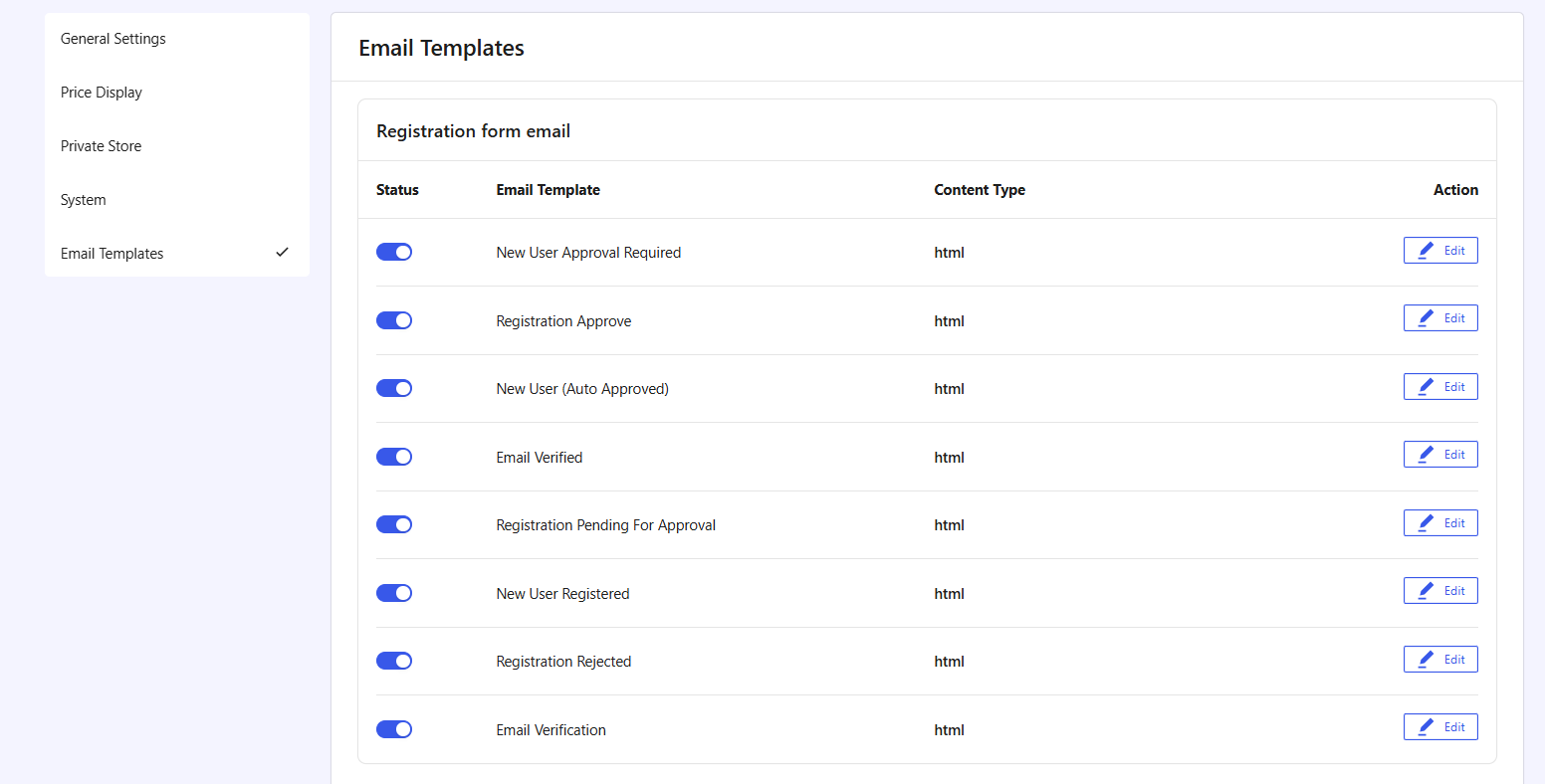
These emails are used during the customer registration, verification, and approval process.
- New User Approval Required: Sent to the store admin when a new user registration requires approval.
- Registration Approve: Sent to the user when the registration has been approved.
- New User (Auto Approved): Sent when registrations are automatically approved.
- Email Verified: Sent after a user successfully verifies their email address.
- Registration Pending For Approval: Sent when a registration is submitted and waiting for administrator review.
- New User Registered: Sent to administrators whenever a new user has been registered.
- Registration Rejected: Sent to the user when a registration request is declined.
- Email Verification: Sent during registration to verify the user’s email address.
Request a Quote Emails
These emails are triggered when using WholesaleX’s Request a Quote functionality.
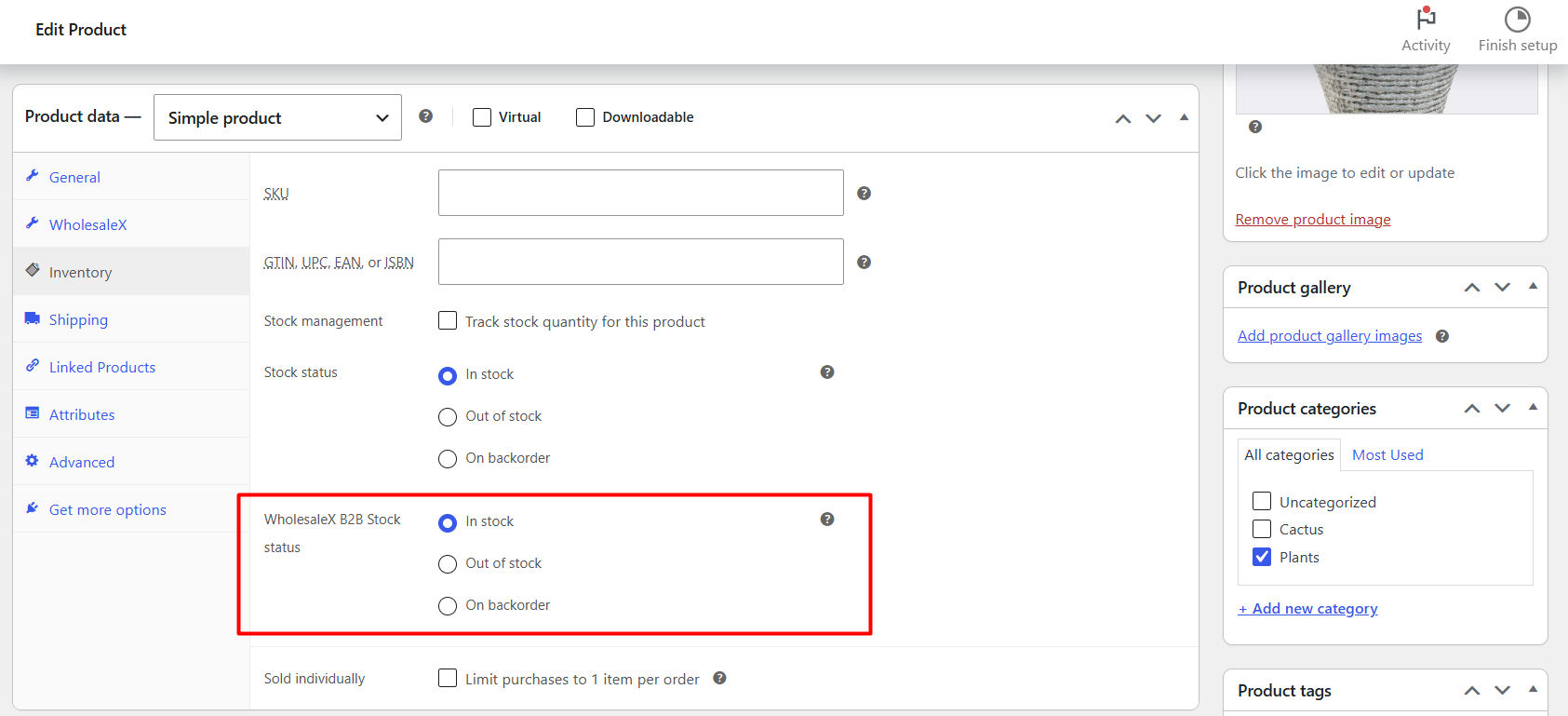
- New Quote Request: Sent to the store owner when a customer submits a new quote request.
- Quote Request Offer: Sent when the store sends an offer or quote for the customer.
- Quote Request Offer Expiring: Sent to customers before a quote offer expires.
Subaccount Emails
These emails are used when managing wholesale subaccounts.
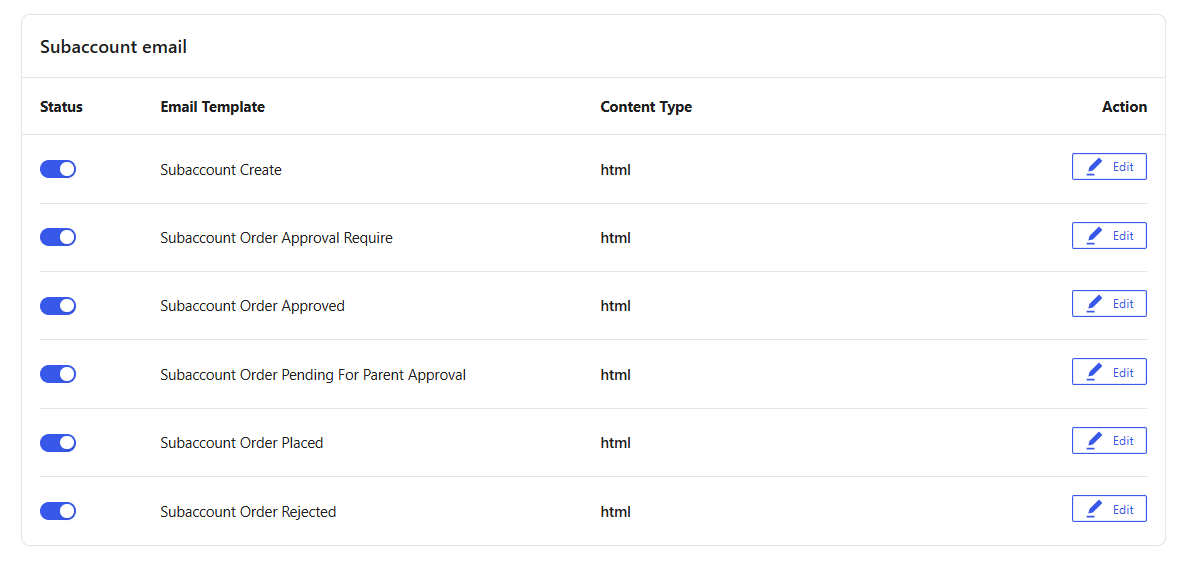
- Subaccount Create: Sent when a new subaccount is created.
- Subaccount Order Approval Require: Sent when a subaccount places an order that requires approval.
- Subaccount Order Approved: Sent when a pending subaccount order is approved.
- Subaccount Order Pending For Parent Approval: Sent when an order is waiting for approval from the parent account.
- Subaccount Order Placed: Sent after a subaccount successfully places an order.
- Subaccount Order Rejected: Sent when a subaccount order is rejected.
Conversations Emails
These emails support the WholesaleX communication and messaging system.
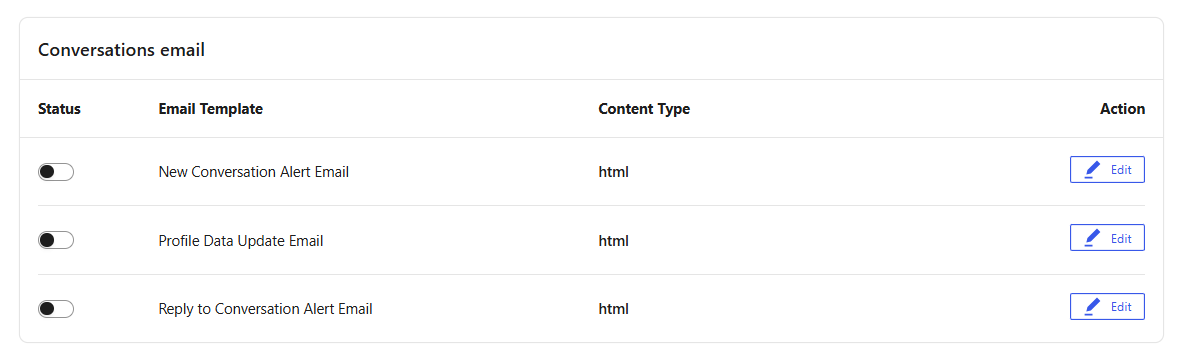
- New Conversation Alert Email: Sent when a new conversation is initiated.
- Profile Data Update Email: Sent when profile information is updated.
- Reply to Conversation Alert Email: Sent when a new reply is added to an existing conversation.
WholesaleX Wallet Emails
These emails are used for wallet balance notifications.
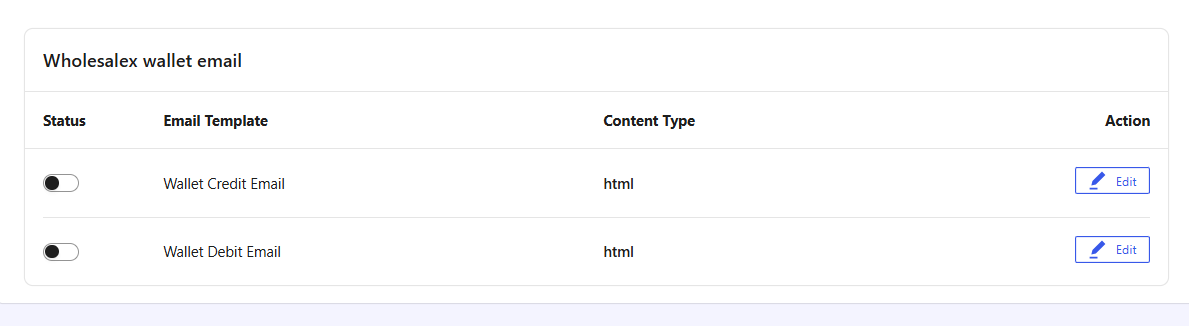
- Wallet Credit Email: Sent when funds are added to a customer’s wallet.
- Wallet Debit Email: Sent when funds are deducted from a customer’s wallet.
Enabling or Disabling Email Notifications
Each email template includes a status toggle.
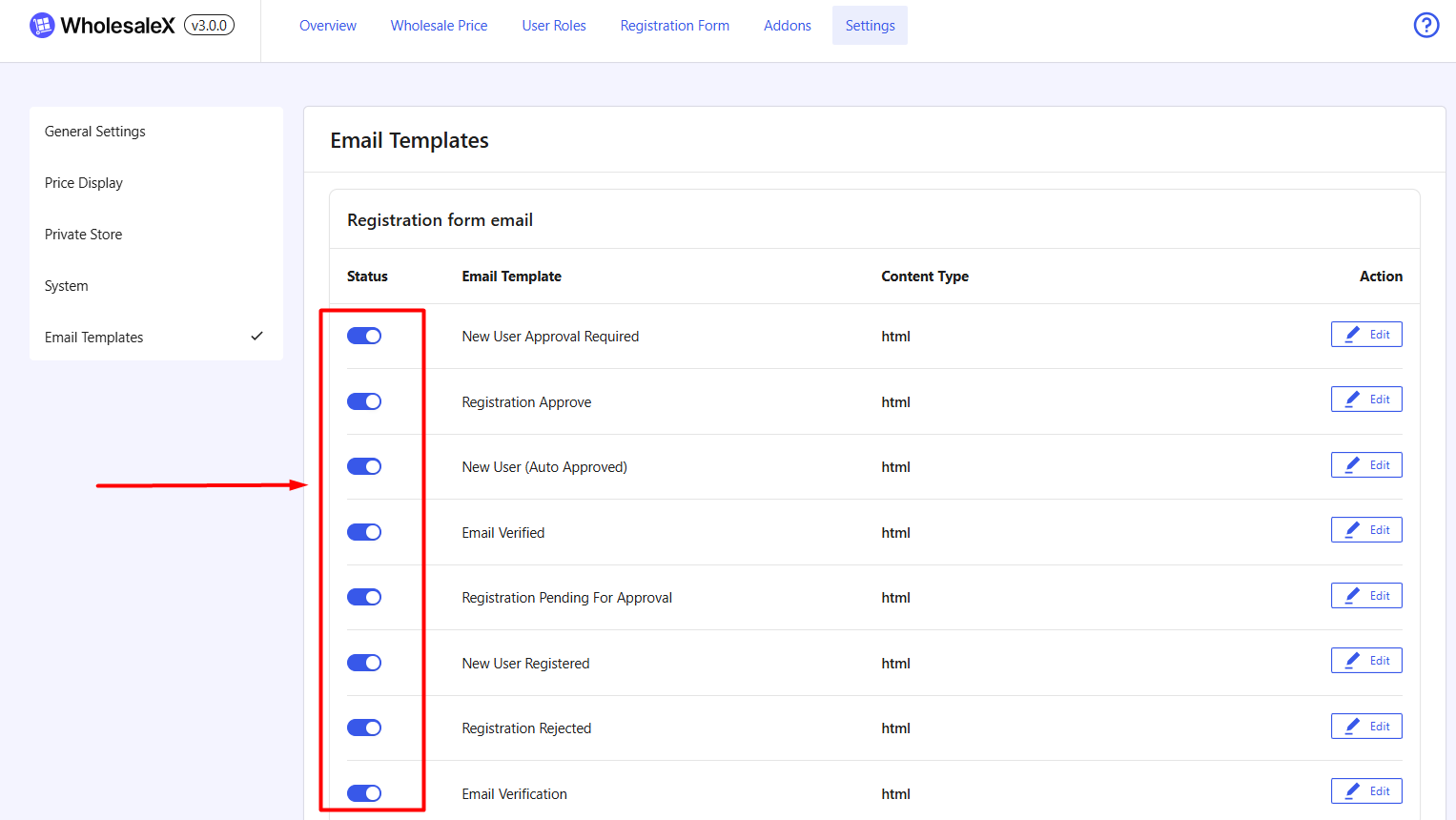
Enable Template
When enabled:
- The email will be sent automatically when the corresponding event occurs.
- Users and administrators will receive notifications as configured.
Disable Template
When disabled:
- No email will be sent for that specific event.
- The registration process will continue without that notification.
Editing an Email Template
Click the Edit button beside any email template to customize its settings and content.
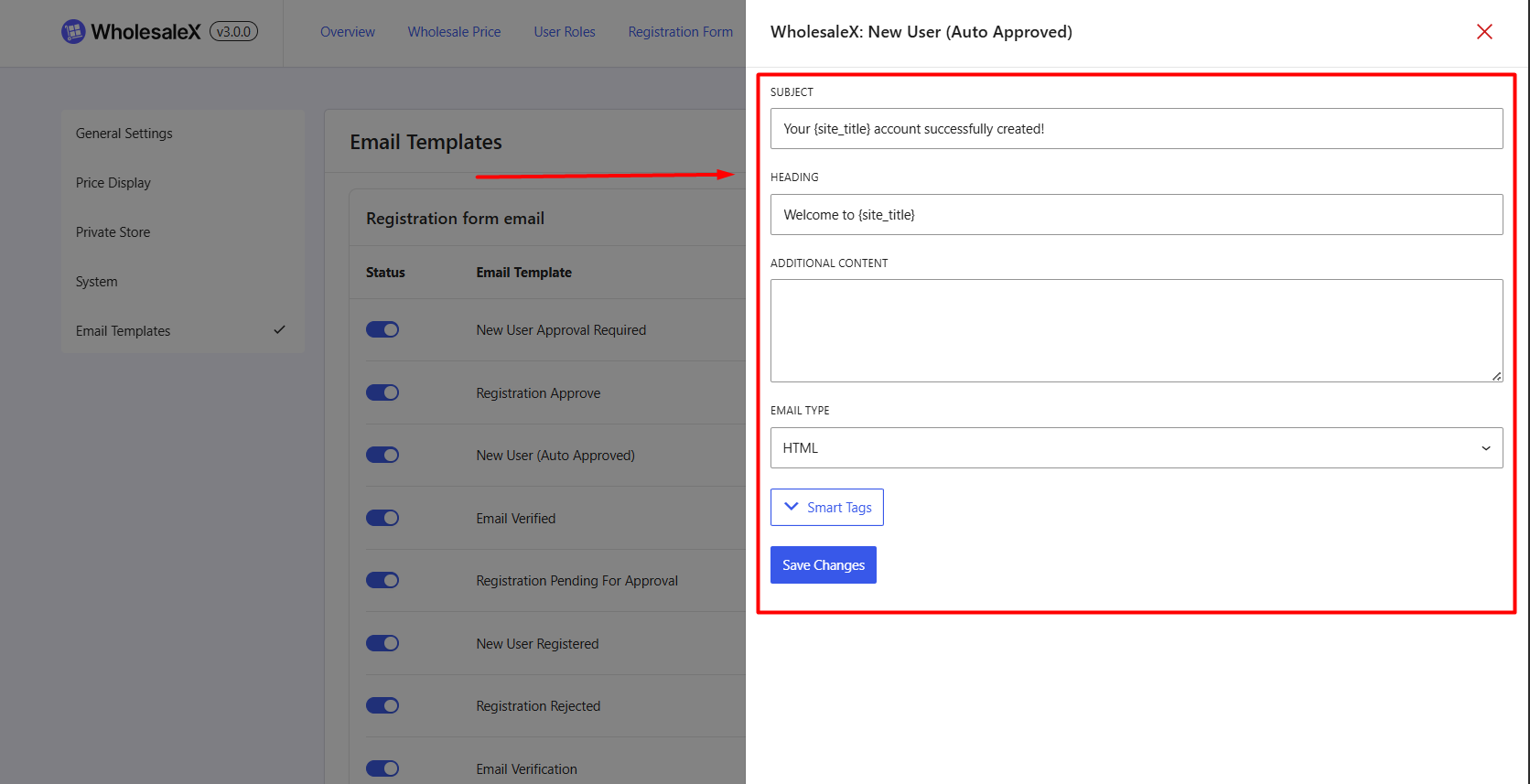
The following options are available:
Admin Email Recipient
Set the email address that will receive administrator notifications.
Example: [email protected]
This field is mainly used for admin-focused emails such as approval requests and registration notifications.
Subject
The email subject line displayed in the recipient’s inbox.
Example: A New User Registered and Awaiting Your Approval
Heading
The main heading displayed inside the email content.
Example: A New User Registered and Awaiting Your Approval
This heading appears prominently at the top of the email body.
Additional Content
Add custom text that will appear within the email.
This area can be used for:
- Welcome messages
- Additional instructions
- Support contact information
- And other details
Email Type
WholesaleX supports two email formats.
i) HTML: Sends emails using HTML formatting.
Benefits:
- Professional appearance
- Supports branding and styling
- Better visual presentation
ii) Multipart
Sends emails in both HTML and plain text formats.
Benefits:
- Improved compatibility with email clients
- Plain-text fallback support
- Suitable for recipients whose email clients block HTML emails
Smart Tags
Smart Tags allow you to dynamically insert information into your email templates.
Instead of manually entering values, WholesaleX automatically replaces these tags with real data when the email is sent.
| Smart Tag | Description |
| {date} | Displays the current date |
| {admin_name} | Displays the site administrator’s name |
| {site_name} | Displays the website name |