
Running a wholesale store in WooCommerce comes with unique challenges. Between wholesale pricing, customer roles, discounts, restrictions, and other B2B requirements, managing everything can quickly become complex.
We’ve heard this feedback from many WholesaleX users. So over the last six months, we’ve been researching, testing, and rethinking key workflows to make wholesale management simpler and more intuitive.
The result is WholesaleX 3.0.
The biggest usability-focused update yet, designed to simplify how you manage wholesale pricing, customer roles, restrictions, and store settings.
Here’s what you can expect in the upcoming release:
- Dedicated Wholesale Pricing management
- Dedicated User Role management
- Easier configuration of role-based discounts and permissions
- A cleaner alternative to managing everything through a single Dynamic Rules interface
- Better-organized and more contextual settings
- A smoother overall workflow for store owners and administrators
Whether you’re an existing WholesaleX user or exploring it for a new project, your feedback will help us refine the experience and ensure everything works smoothly for real-world wholesale stores.
Now, let’s take a closer look at what’s changing and why we believe these improvements will make managing your wholesale store significantly easier.
Wholesale Pricing Now Has Its Own Dedicated Workflow
One of the biggest improvements in WholesaleX 3.0 is the introduction of a dedicated Wholesale Pricing interface.
Instead of managing pricing-related configurations through Dynamic Rules, you can now access and configure them from a centralized pricing workflow designed specifically for wholesale stores.
What’s New
The new Wholesale Pricing workflow brings together the most commonly used pricing and order requirement settings into a single, purpose-built interface.
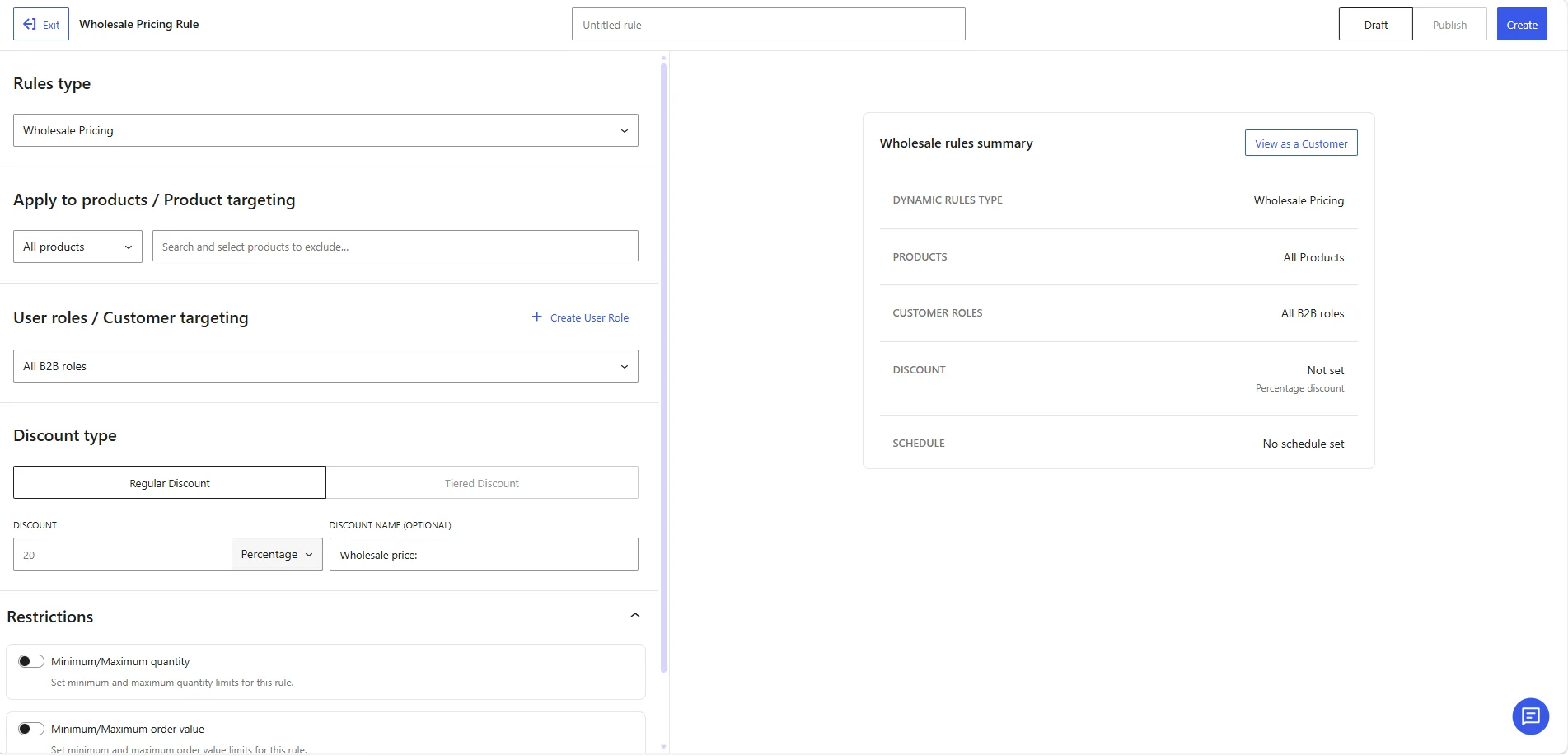
Key capabilities include:
- Core Rules for configuring wholesale pricing behavior
- Minimum & Maximum Order Quantity controls from the rules setting
- Minimum & Maximum Order Value requirements in the same place
- Tiered Discounts for volume-based pricing strategies
- View as Customer mode to quickly preview the wholesale buying experience
By placing these settings in a dedicated area, WholesaleX makes wholesale pricing management more intuitive and efficient.
Why This Matters
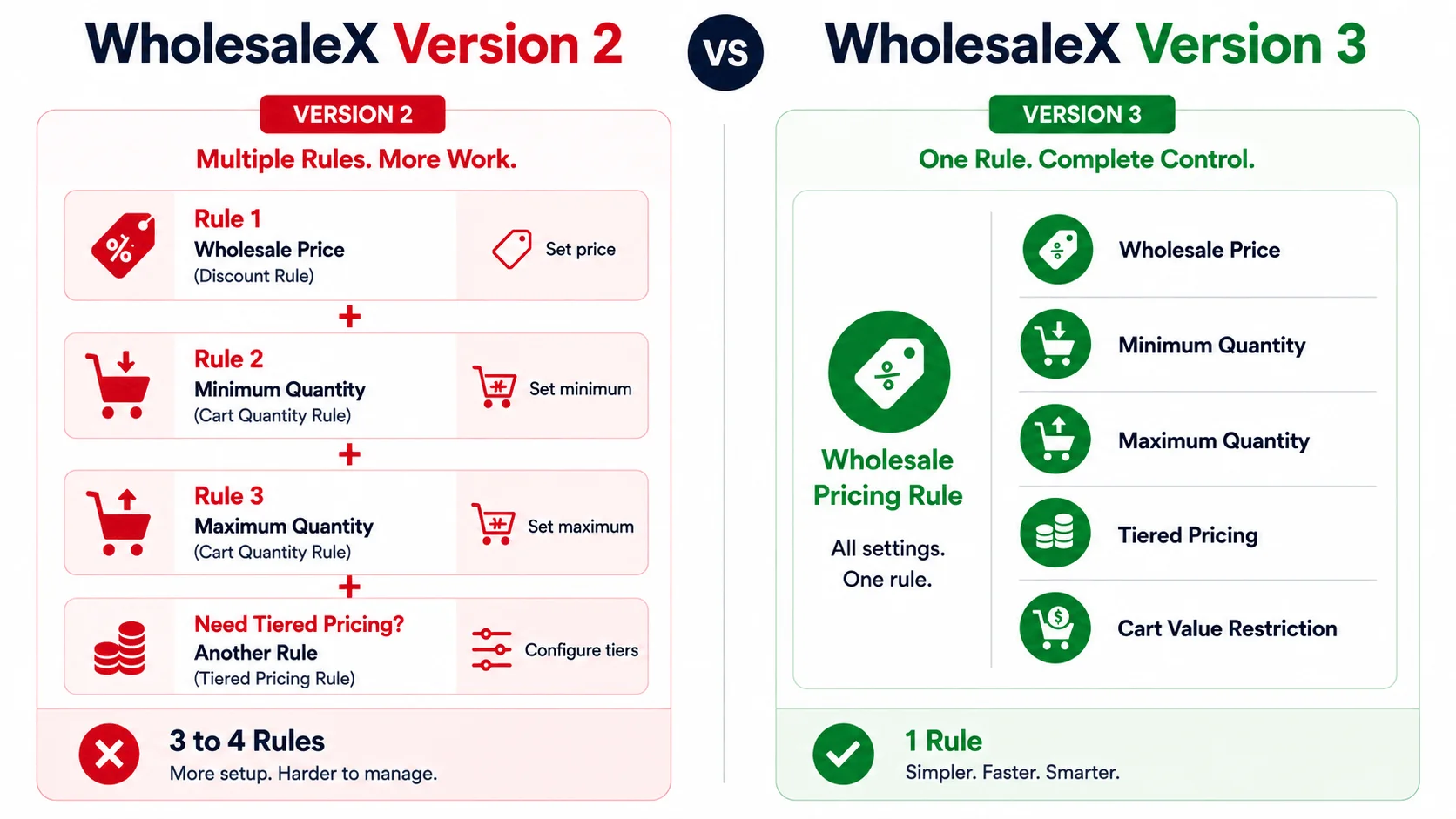
The new pricing workflow isn’t just a visual redesign. It’s a significant usability improvement that helps store owners configure and manage wholesale pricing more efficiently.
- Dedicated Wholesale Pricing Interface: Manage pricing settings from one centralized location
- Core Rules Configuration: Set up pricing strategies faster with less navigation
- Min/Max Order Controls: Enforce wholesale purchasing requirements more easily
- Tiered Discount Management: Create volume-based pricing structures with better visibility
- View as Customer: Verify pricing and purchasing rules before going live
- Improved Organization: Spend less time searching for settings and more time managing your business
You can read about the detailed workflow from the documentation:
User Role Management Has Been Rebuilt
While pricing management is one of the biggest changes in Version 3, it’s not the only workflow we’ve redesigned.
WholesaleX 3.0 also introduces a dedicated workflow for managing wholesale user roles.
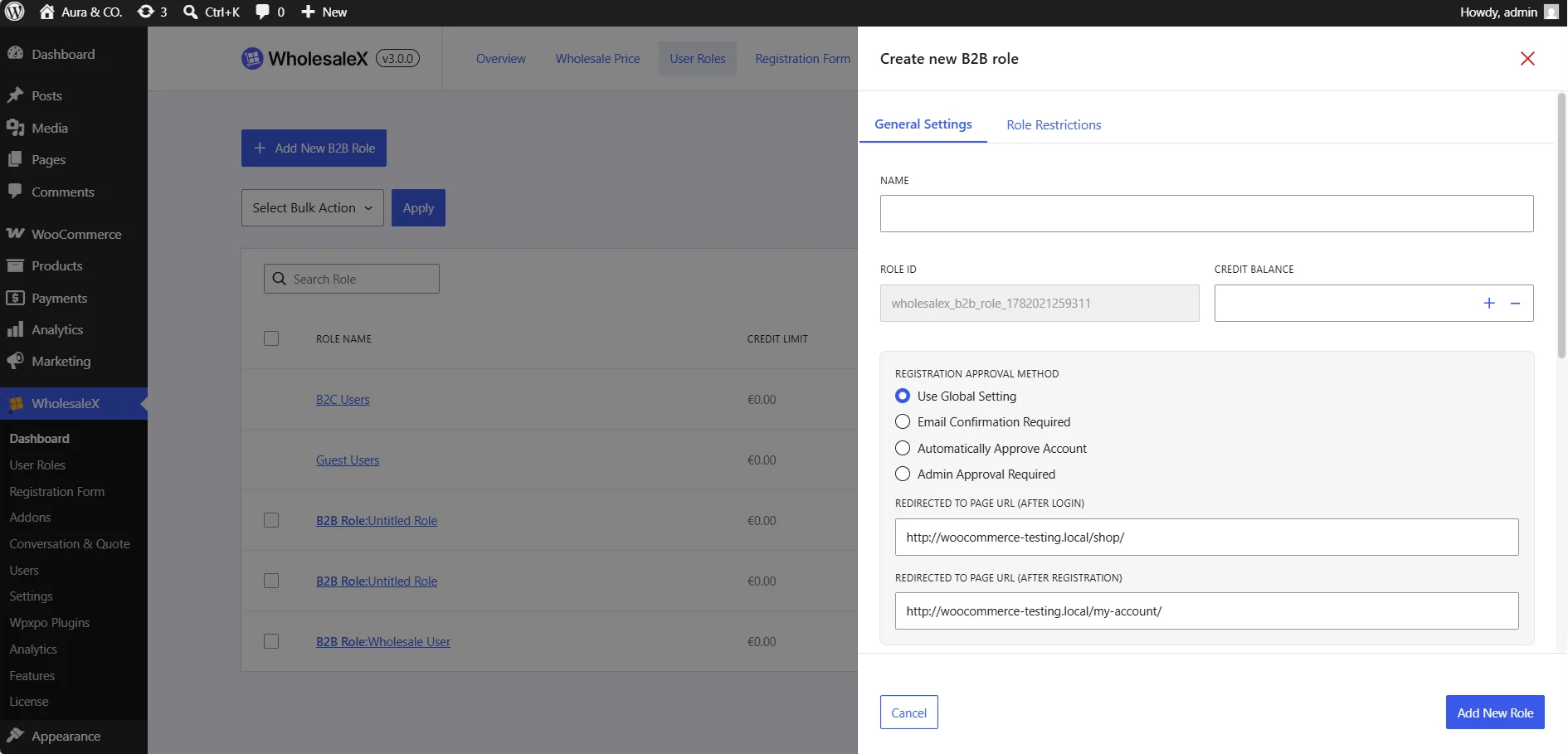
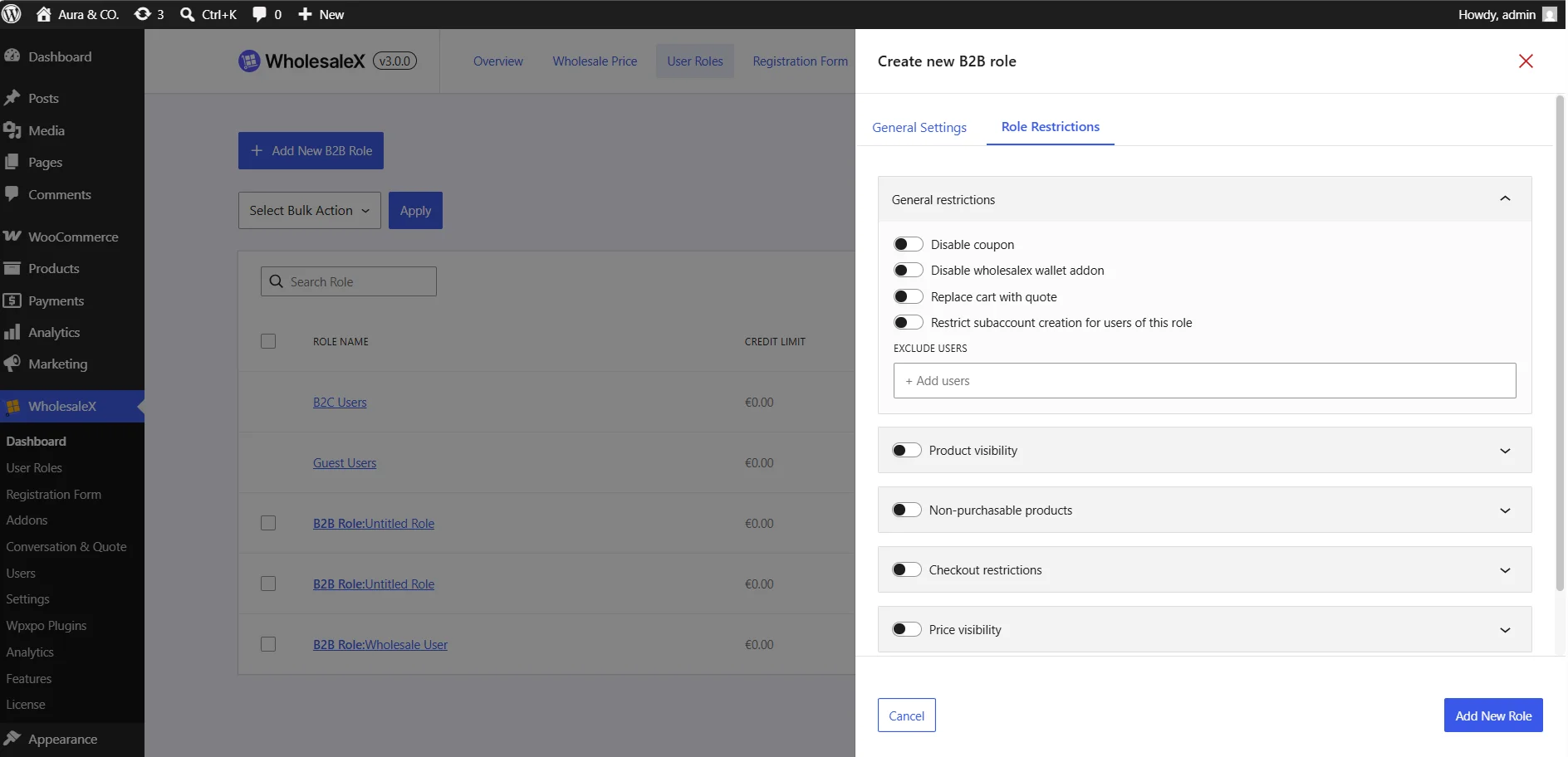
This creates a more centralized experience and makes it easier to understand exactly what each wholesale role can access and do.
What’s New
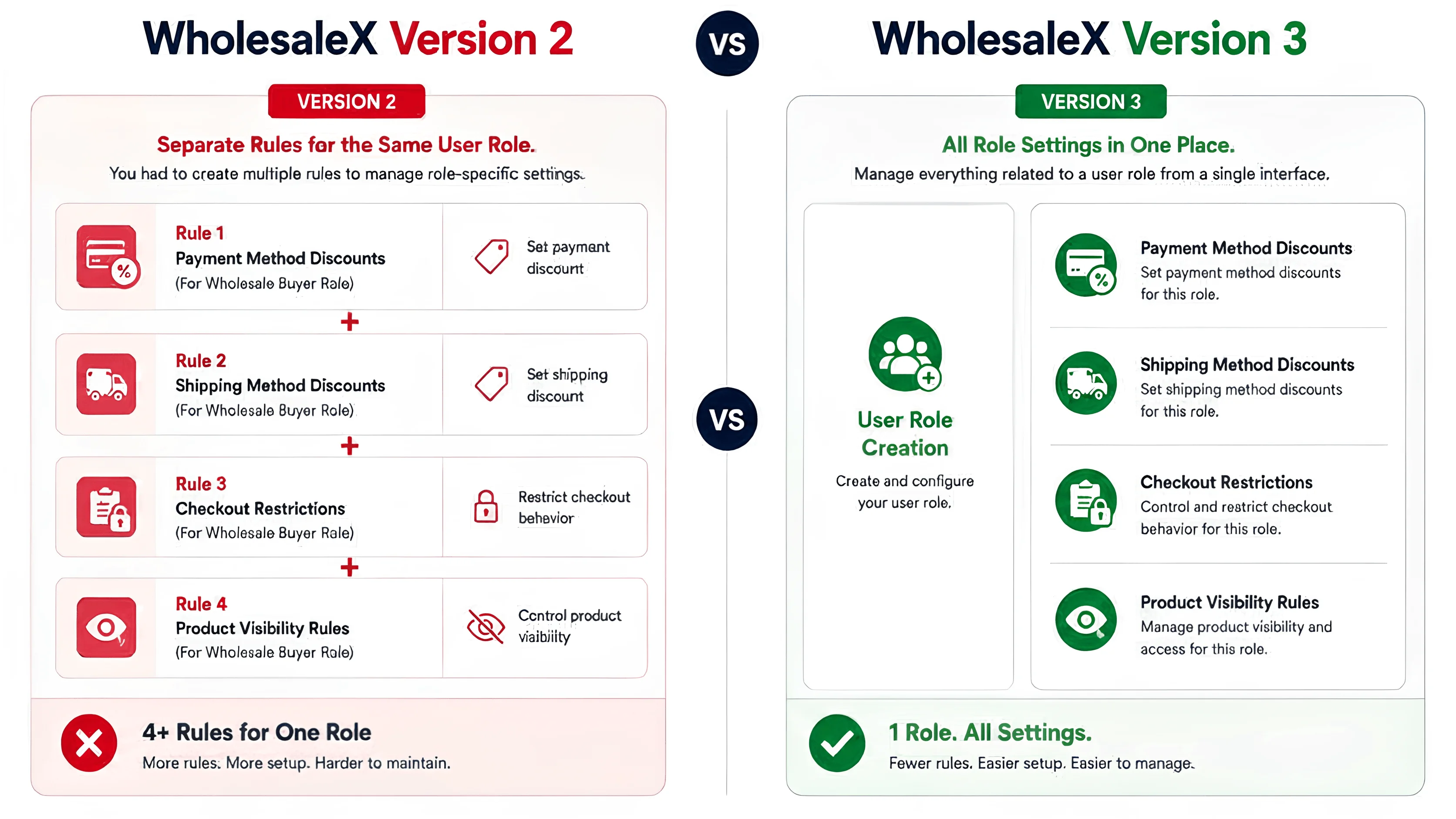
The new User Role Management system centralizes role-specific controls into a single location, allowing you to configure key wholesale settings without creating multiple Dynamic Rules.
Key capabilities include:
- Payment Method Discounts assigned directly to specific wholesale roles
- Shipping Method Discounts managed at the role level
- Role-Based Restrictions for controlling how different customer groups interact with your store
The restriction settings include controls such as:
- Checkout Restrictions
- Product Visibility Rules
- Price Visibility Rules
- Non-Purchasable Product Controls
- And other role-specific permissions
By bringing these configurations into User Role Management, WholesaleX makes wholesale customer segmentation much more streamlined to manage and maintain.
Why This Matters
The new role-based workflow helps store owners manage wholesale customers more efficiently while reducing the need for multiple overlapping rules.
- Centralized User Role Management: Manage all the role-specific settings from a single location
- Payment Method Discounts: Control customized payment incentives for different user roles
- Shipping Method Discounts: Offer role-based shipping benefits with less configuration effort
- Built-In Restrictions: Control visibility, purchasing, and checkout behavior more easily
- Role-Based Configuration: Understand and manage customer permissions at a glance
- Reduced Rule Dependency: Spend less time creating and maintaining multiple Dynamic Rules
All settings that belong to a role now live with the role.
Read detailed configuration from the doc:
Why We Made These Changes
As WholesaleX evolved, we continued adding new wholesale features to help store owners handle increasingly complex B2B requirements.
While this made the plugin more powerful, it also highlighted opportunities to improve how those features were organized and managed.
The changes in WholesaleX 3.0 are the result of months of research, user feedback, and workflow analysis aimed at creating a more organized wholesale management experience.
1. Dynamic Rules Became the Home for Too Many Features
Previously, all the wholesale configurations were managed through the Dynamic Rules system.
Pricing rules, discounts, restrictions, visibility controls, order requirements, and other wholesale settings were all configured from the same area.
While this provided flexibility, it also meant users had to navigate through multiple rule types to manage a user role.
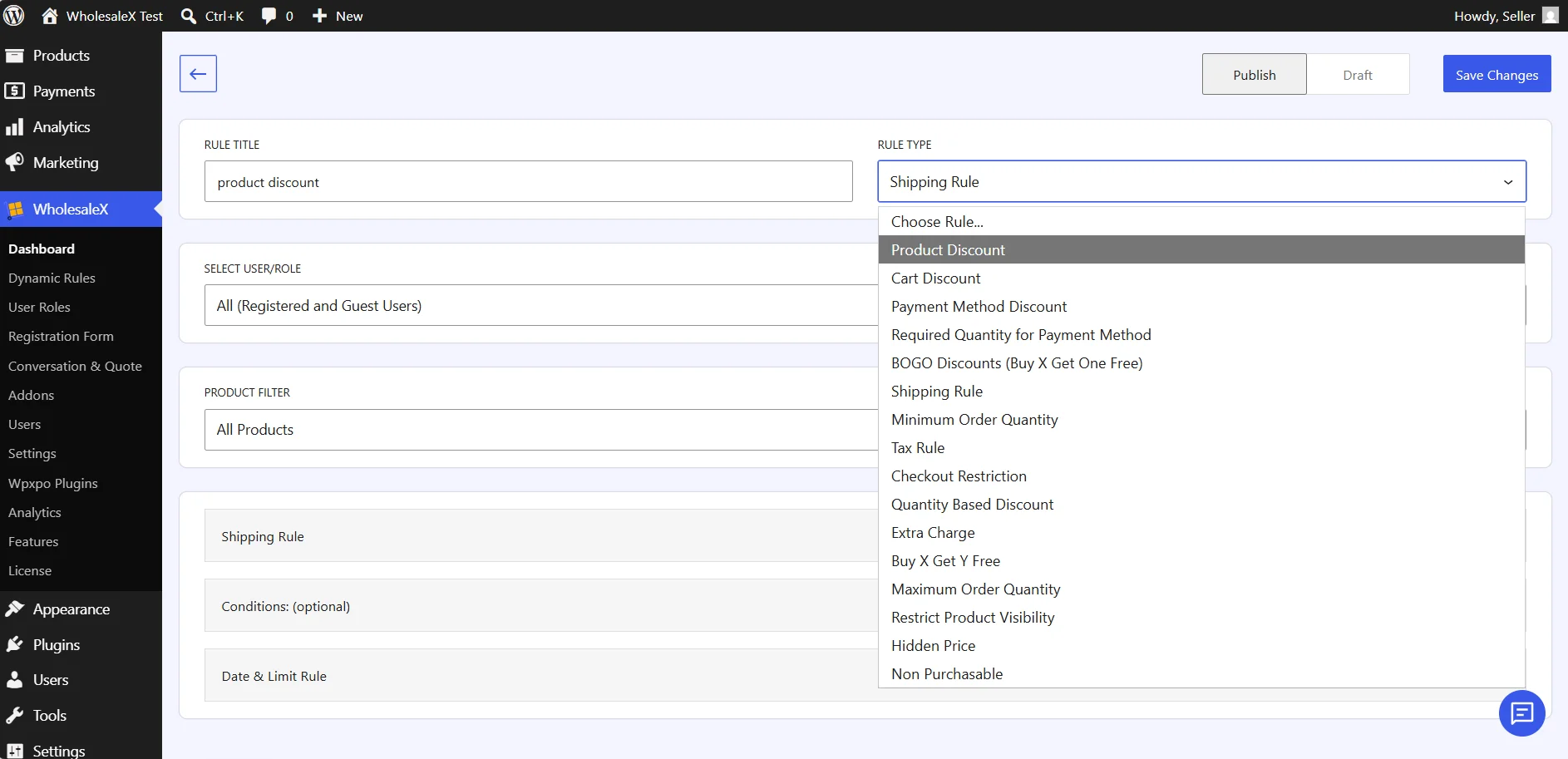
As more features were introduced, the Dynamic Rules interface naturally became more complex.
2. Managing Wholesale Pricing Required Multiple Steps
Wholesale pricing is one of the most frequently used features in any B2B store.
However, configuring pricing-related settings often meant creating and managing separate rules for order quantities, order values, tiered discounts, and other pricing conditions.
Users needed to jump between different rule configurations to build a complete pricing strategy for a single product.
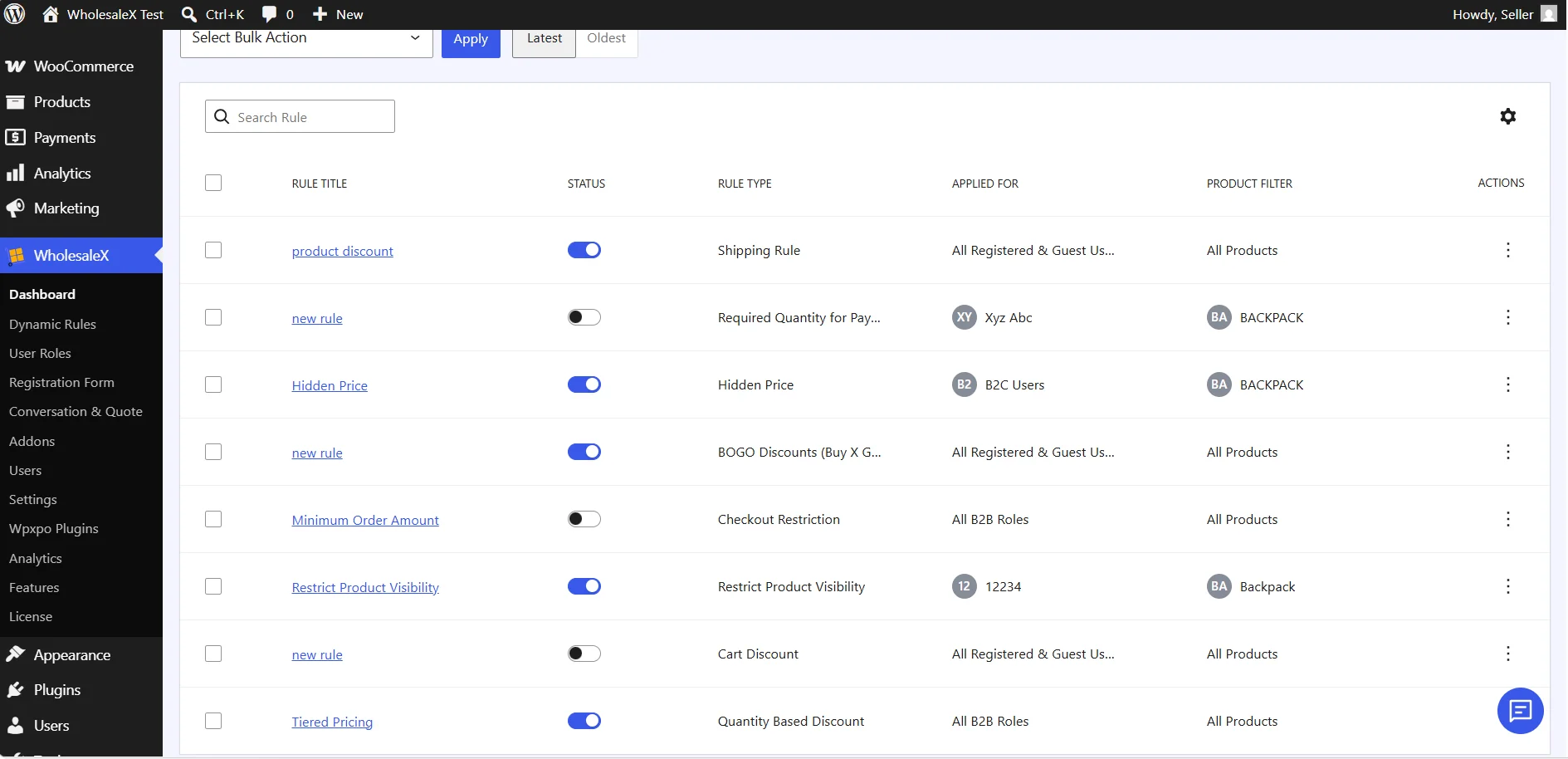
We wanted to make pricing management more direct by bringing related settings together in a dedicated workflow.
3. User Role Controls Were Scattered Across Different Rules
User roles are at the center of wholesale customer management.
Yet many role-specific configurations (discounts, visibility settings, checkout restrictions, and purchasing controls) were previously managed through separate Dynamic Rules. This made it harder to see everything assigned to a role at a glance.
Store owners often had to review multiple rules to understand how a specific wholesale role was configured.
4. It Was Harder for New Users to Learn
Wholesale stores naturally involve more configuration than standard WooCommerce stores.
When pricing rules, discounts, restrictions, and permissions were all managed through a single system, new users often faced a steeper learning curve. Understanding which rule to create and where to configure specific settings could take time.
We wanted WholesaleX to feel more contextual without sacrificing the flexibility wholesale businesses need.
5. We Wanted Features to Live Where They Make Sense
One of the biggest goals of WholesaleX 3.0 was to organize features around the workflows users actually follow.
- Pricing-related settings now live inside Wholesale Pricing
- Role-specific controls now live inside User Role Management
- Permissions and restrictions can be managed directly from the role they belong to
- Related settings are grouped together for easier navigation
This new structure reduces complexity, improves discoverability, and makes WholesaleX easier to manage as your wholesale business grows.
Bonus: Settings Are Now More Contextual
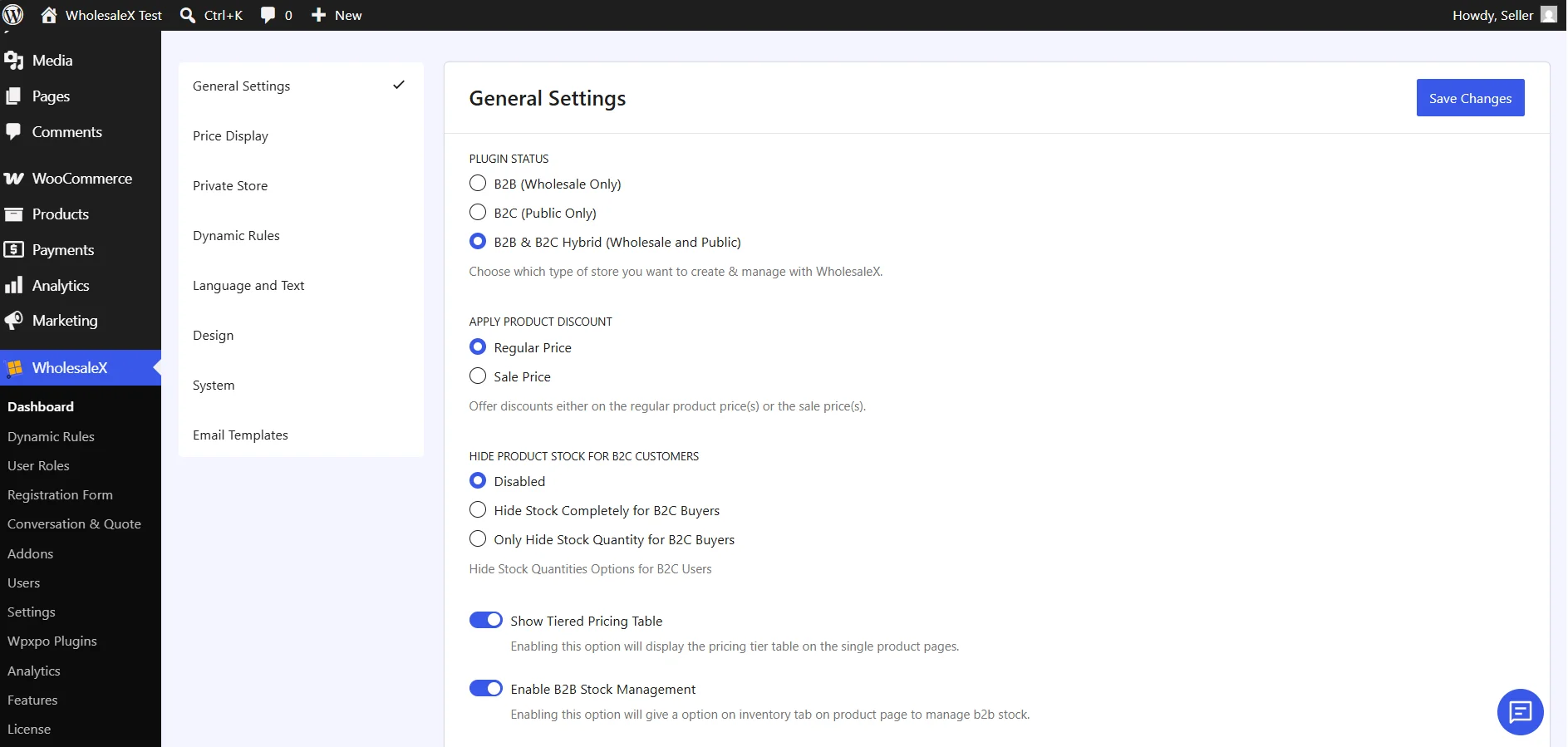
Beyond the major workflow improvements, we’ve also reorganized several settings throughout WholesaleX to make them contextual to find and manage.
What’s New
We’ve moved settings closer to the features they belong to, creating a more logical and contextual experience across the plugin.
Some of the key improvements include:
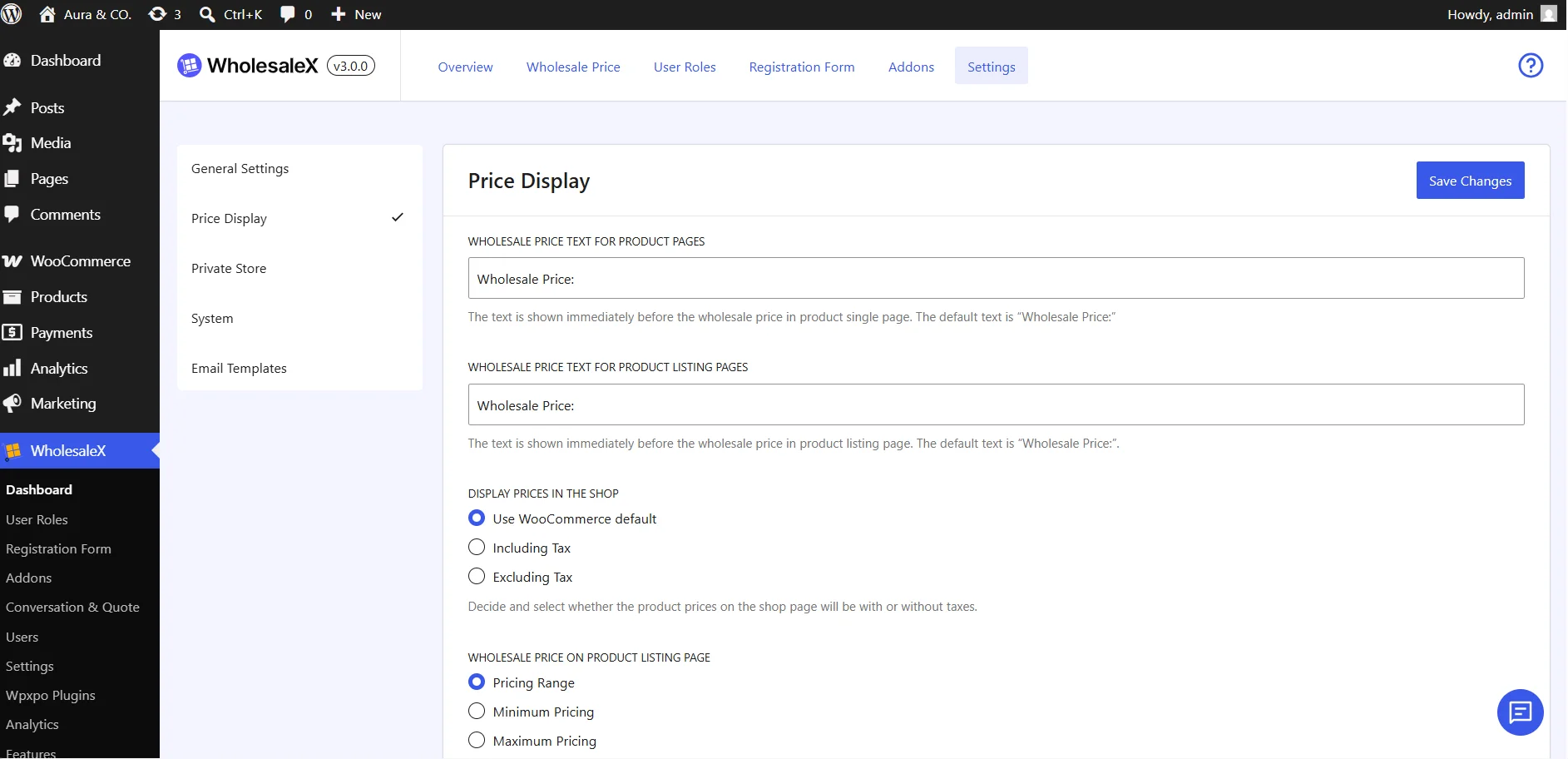
👉 Dedicated Price Display Settings
Price visibility and display-related options now have their own dedicated settings area. This makes it easier to locate and configure how wholesale prices are presented throughout your store.
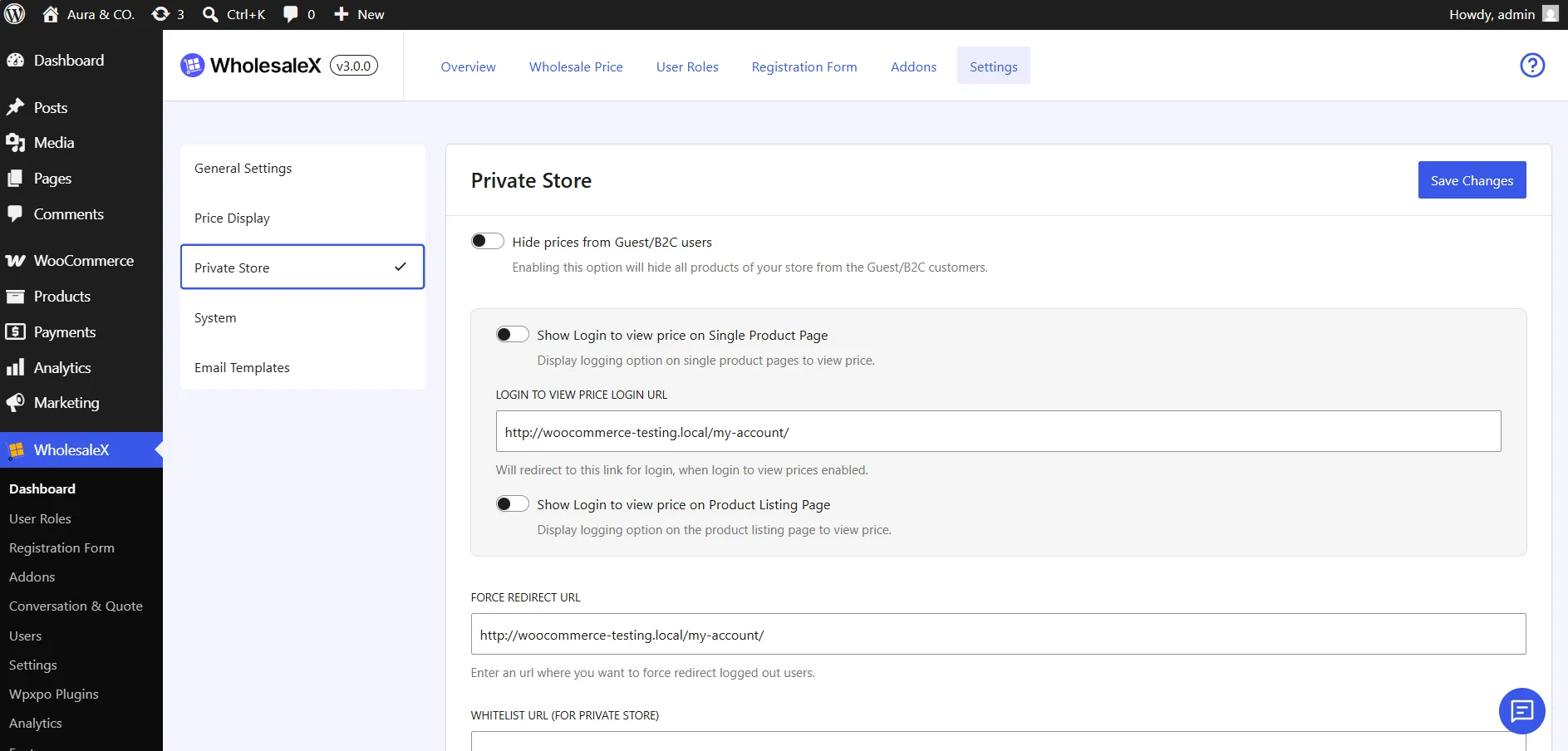
👉 Private Store Settings Reorganized
Private store controls have been grouped together in a more efficient location. all relevant options available where you would naturally expect to find them. It makes managing store access and visibility simpler,
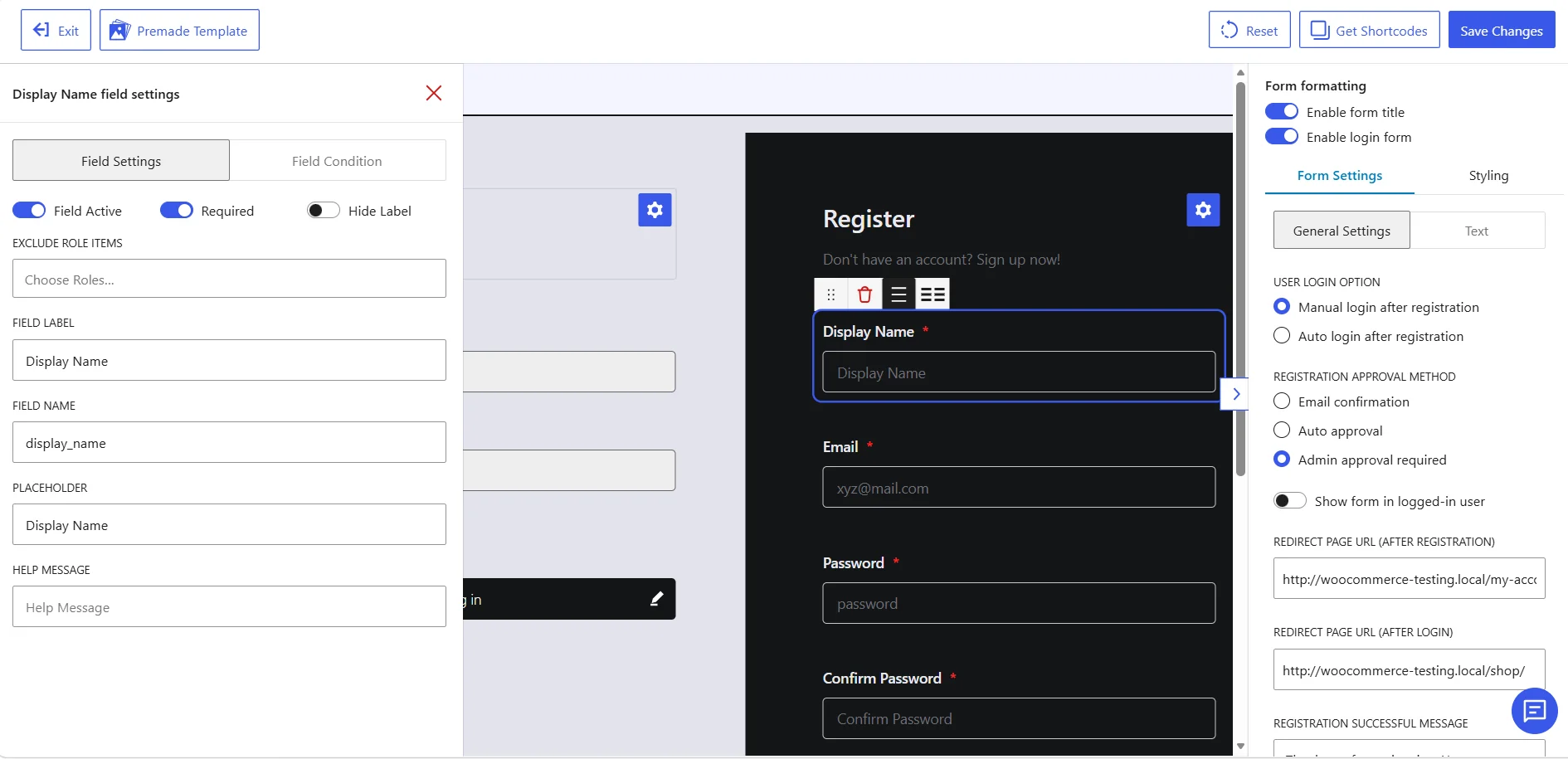
👉 Registration Form Settings Reorganized
All the Registration form-related settings have been relocated to the form builder. The settings are now streamlined to access and configure.
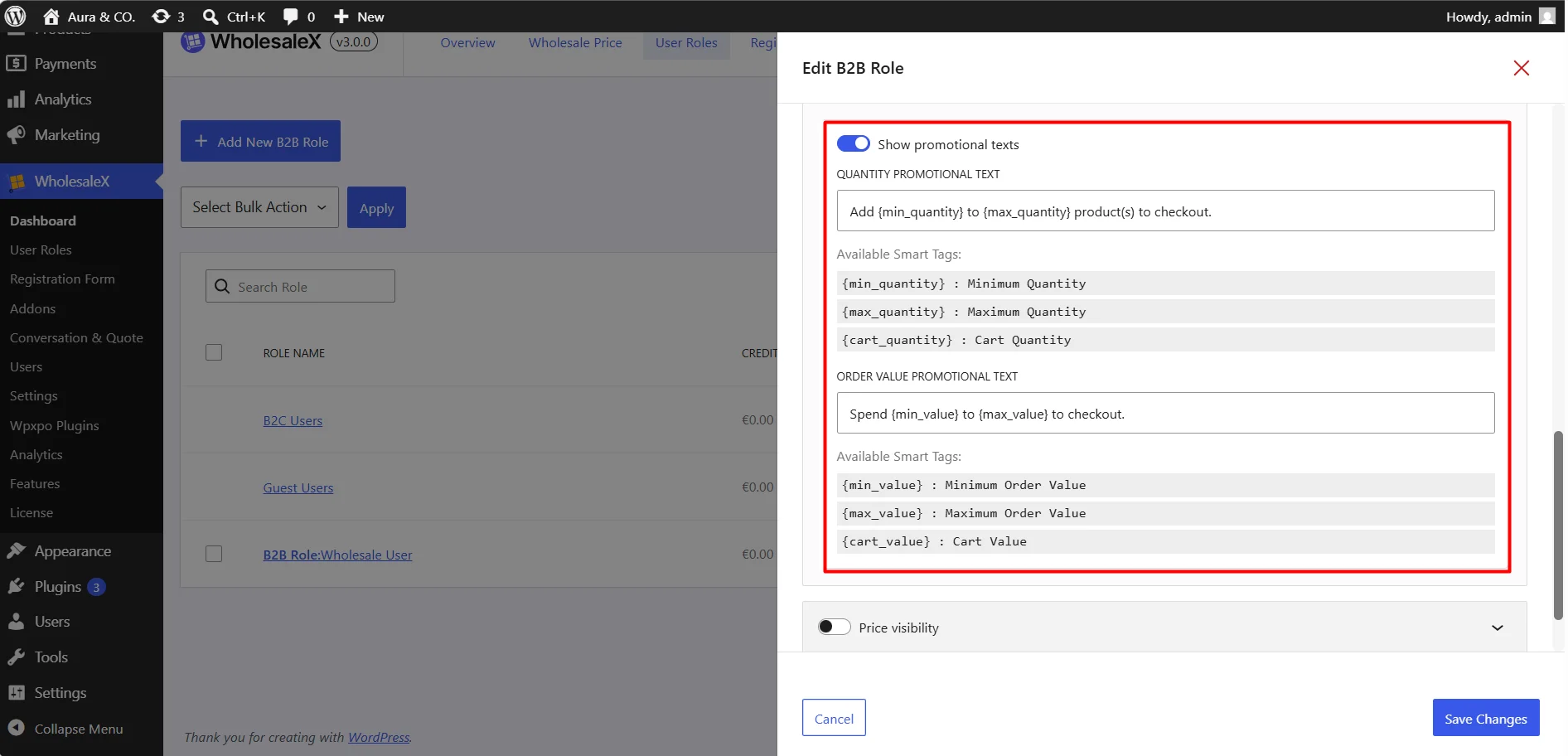
👉 Promotional Text Settings Reorganized
All the Promotional text and customer-facing messaging settings have also been relocated to where they belong.
Benefits of the New Structure
These changes may seem small individually, but together they create a significantly smoother management experience.
| Improvement | Benefit |
| Contextual Settings Organization | Find settings faster without navigating multiple sections |
| Related Options Grouped Together | Easier to understand how features work together |
| Reduced Menu Hunting | Spend less time searching and more time configuring |
| Improved Discoverability | New users can locate features more naturally |
| Cleaner Interface Structure | A more organized and intuitive administration experience |
| Better Long-Term & scalability | Easier to manage and scale as your wholesale store grows |
The goal is simple: when you’re configuring a feature, the settings you need should be exactly where you expect them to be.
The Result: A Cleaner Wholesaling Experience
WholesaleX 3.0 isn’t just a redesign. It’s a shift toward a more contextual way of managing wholesale stores, where pricing, roles, restrictions, and settings live exactly where users expect to find them.
With dedicated workflows for Wholesale Pricing and User Role Management, along with better-organized settings, managing your wholesale store is now faster and easier than ever.
Key benefits include:
- Dedicated Wholesale Pricing management
- Dedicated User Role Management
- Centralized role-based discounts and restrictions
- More contextual settings organization
- Less reliance on complex rule configurations
- Faster and easier store administration
Your feedback will help us refine WholesaleX 3.0 before the official release.
Help Us Shape WholesaleX 3.0
We’re opening access to the WholesaleX 3.0 Beta and would love your feedback. Explore the new experience and let us know what you think.
For more helpful tips, stay connected with our LinkedIn Newsletter.
