

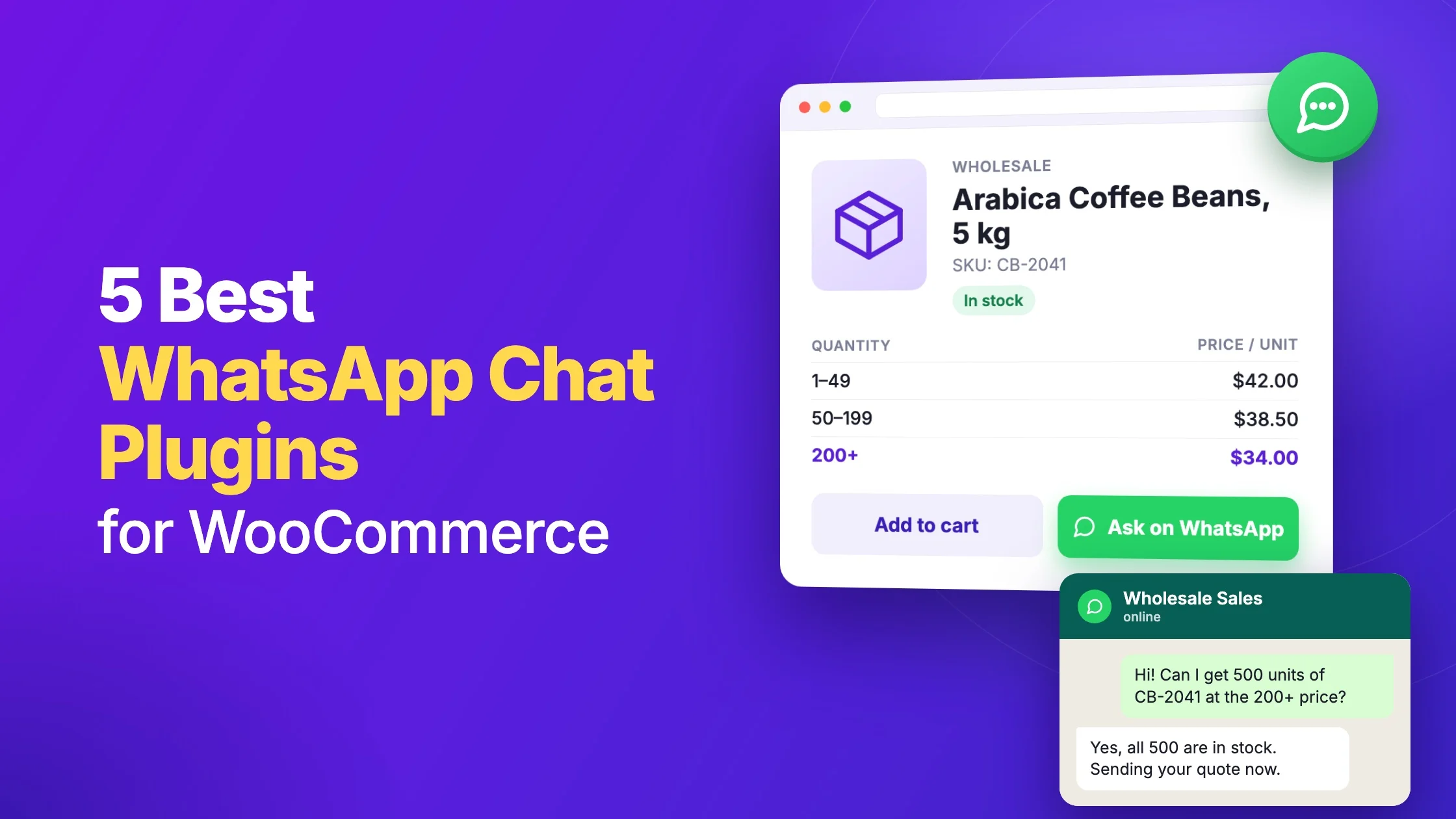
The best WhatsApp chat plugins for WooCommerce wholesale stores do more than add a floating chat button. They help buyers inquire about bulk quantities, negotiate pricing, check product availability, and contact the right sales representative before placing an order.
While most WhatsApp plugins are designed for general customer support, wholesale businesses often need product-specific messages, multiple agents, business hours, and flexible button placement.
In this guide, we compare five WhatsApp chat plugins for WooCommerce based on these B2B requirements, their free and paid features, limitations, and pricing.
Why WhatsApp Works for WooCommerce Wholesale & B2B Stores
Wholesale buyers may need to compare suppliers, confirm terms, and get internal approval before ordering. Each step can raise questions, so timely, clear replies help buyers move forward.
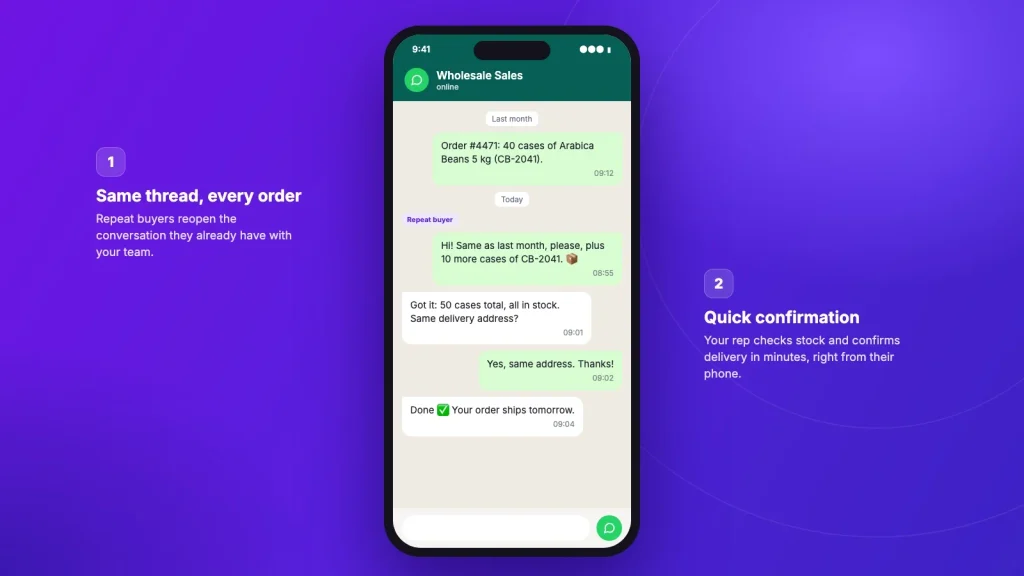
WhatsApp fits because most buyers already use it, it works on phone and desktop, and the whole conversation stays in one thread. WhatsApp’s click-to-chat feature lets a website open a chat with your business number, optionally with a pre-filled message. Every plugin in this list builds on that.
Here’s where it earns its place in a B2B store:
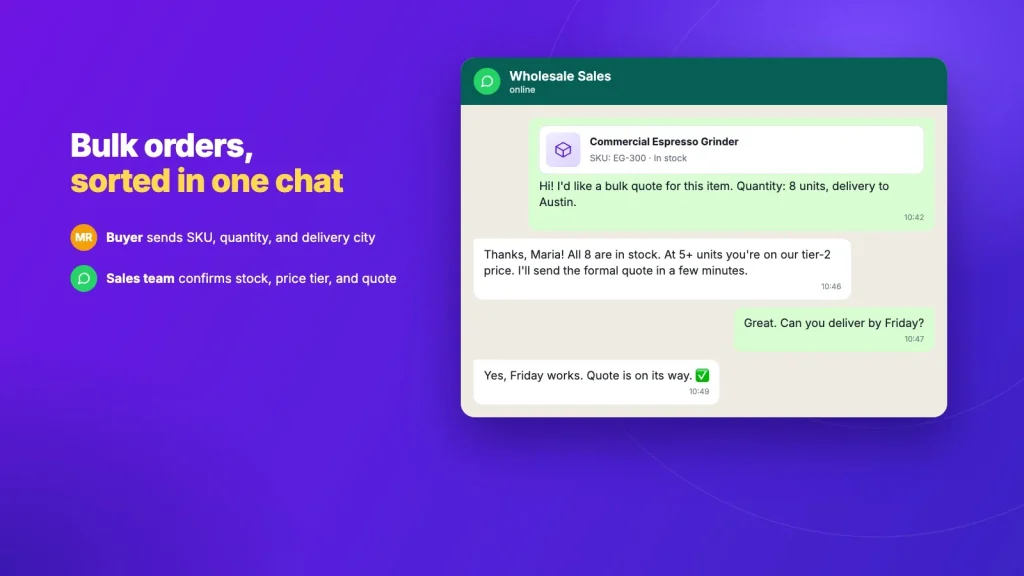
- Bulk orders. “Can you do 1,200 units of SKU X by the 20th?” is a conversation, not a form.
- Custom pricing. Buyers want to know whether they qualify for a tier or whether volume changes the price.
- MOQ questions. A quick answer stops a buyer from building a cart you can’t fulfill.
- Availability. Stock checks, lead times, and substitutions are faster in chat.
- Repeat orders. “Same as last month, plus 50 of the blue variant.”
- New account questions. Prospects ask what they need before they register.
- Order status. “Has PO 4471 shipped?”
- Rep relationships. Many B2B buyers want to reach the same person every time.
One caveat: WhatsApp is a conversation channel. It doesn’t calculate wholesale prices, create quotes, or update inventory. Your store and your team still do that.
What to Look for in WhatsApp Chat Plugins for WooCommerce
Most WhatsApp plugins can put a green bubble on your site. Fewer handle what a wholesale business needs. Use these criteria to narrow the field.
- Multiple agents and departments. Wholesale sales, retail support, and accounts often belong to different people.
- Product-page and cart-level buttons. Bulk questions usually start on product pages. A cart button helps buyers who get stuck mid-order.
- Prefilled messages with product details. If the message includes the product name and SKU, your rep doesn’t have to ask which item.
- Business hours and availability. B2B buyers accept set hours. They don’t accept a button that looks “online” at midnight and gets no reply.
- User-role and page-level display rules. You may want a wholesale contact shown only on bulk products or only to approved trade customers. Role-based targeting is rare, so check carefully.
- Analytics and conversion tracking. You’ll want to know which products generate inquiries and whether they become orders.
- Performance. A site-wide chat widget can add front-end overhead, so test its effect on large catalogs.
- GDPR and privacy. If you collect personal information before opening a chat, ensure your data collection complies with applicable privacy requirements.
- Mobile experience. Many buyers reorder from a phone, so the button should open the WhatsApp app directly.
None of the five plugins covers all nine points in its free version. Use the comparison table above to see where each one stands.
WhatsApp Chat Plugin Comparison for WooCommerce
This table reflects official sources checked in November 2026. “Pro” means a paid plan is required.
| Plugin | Free Version | Multiple Agents | WooCommerce Product Button | Scheduling / Availability | Analytics | Starting Price |
|---|---|---|---|---|---|---|
| Chat Help | Yes | Pro | Yes (also shop, cart, checkout, thank-you) | Yes | Yes (dashboard + GA events) | $39/year (list price) |
| Joinchat | Yes | Pro | Yes | Pro | Yes (click counter + GA4/GTM/Pixel) | €96/year |
| Click to Chat | Yes | Pro | Yes | Pro | Yes (GA/GTM/Meta Pixel/Google Ads events) | $18/year |
| Social Chat | Yes | Pro | Yes (also archive pages) | Pro | Pro | $49/year |
| WP Chat App | Yes | Yes | Yes | Yes (basic); custom schedules Pro | Pro | $89 (CodeCanyon regular license) |
One gap stands out. None of the five documents display rules based on WooCommerce user roles, such as showing a wholesale rep only to approved trade accounts. If you need that, ask the vendor before buying.
5 Best WhatsApp Chat Plugins for WooCommerce Wholesale & B2B Stores
Each plugin was checked against its official website and WordPress.org listing in November 2026. All five were updated recently and list compatibility with current WordPress versions.
1. Chat Help – WhatsApp Chat Help
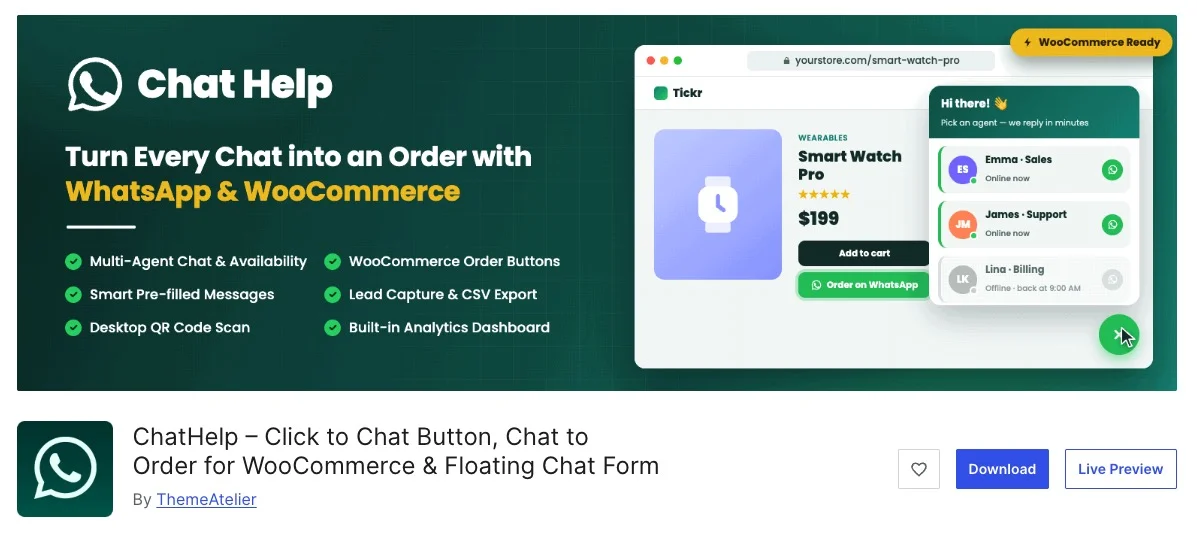
Chat Help by ThemeAtelier goes further into WooCommerce than most WhatsApp plugins. Beyond the floating bubble, it adds WhatsApp buttons to the shop, single product, cart, checkout, and order thank-you pages. Lead capture and an analytics dashboard are included free. The free plugin is on WordPress.org with 2,000+ active installations.
Verified free features:
- Bubble layouts: Single Form, Single Agent, Pre-Chat Message, and Floating Button
- WooCommerce buttons on shop, product, cart, checkout, and thank-you pages
- Prefilled-message variables such as {productName}, {productSku}, {productPrice}, and {productStockStatus}
- Conditional message blocks for product pages and logged-in or logged-out visitors
- Per-agent or per-button availability with time zones and automatic online/offline status
- Optional lead saving from the Single Form layout, with filters and CSV export
- Analytics dashboard (visitors, views, conversions, leads, devices) plus Google Analytics click events
- GDPR consent checkbox, optional desktop QR code, shortcodes, a Gutenberg block, and an Elementor widget
Verified Pro features:
- Multi-Agent List, Grid, and Form layouts
- Unlimited Single Form fields
- Visibility rules by template, post, product, category, and tag
- More WooCommerce button styles and product-page positions
- Webhooks, plus analytics by country, page, and browser
B2B use cases. The product variables are the standout for wholesale. A buyer clicks the button, and WhatsApp opens with something like “I’m interested in {productName} (SKU {productSku}), currently {productStockStatus}.” Your rep sees exactly what’s being asked about. Cart and checkout buttons give large-order buyers a way to ask before they abandon.
How a wholesale store might use Chat Help?
A café chain’s purchasing manager opens your product page for a commercial espresso grinder. They need eight units for new locations. They tap the WhatsApp button, and the chat opens with the product name, SKU, and stock status filled in. They add “8 units, delivery to Austin” and send it.
Your wholesale rep confirms stock and explains the bulk pricing in the same thread. Three months later, the buyer reopens that thread to reorder. If you use the Single Form layout with lead saving, their name and request also appear in Chat Help’s Leads screen.
Chat Help doesn’t generate the quote, apply the price, or create the order. It gets the buyer into the right conversation with the right context.
Best for: Wholesale and hybrid stores that want WhatsApp buttons across the whole buying path, with free lead capture and analytics.
Pricing: Free on WordPress.org. Pro yearly plans are listed at $39 (one site), $79 (five sites), and $139 (unlimited). Lifetime plans start at $119. The pricing page often shows discounts, so check it for current rates.
Pros:
- Buttons on five WooCommerce pages, including cart and checkout
- Product and stock variables in prefilled messages
- Free availability scheduling and analytics
Cons:
- Multiple agents require Pro, which matters if you split sales and support
- Smaller install base (2,000+) than the other four, so there’s less community feedback to go on
- Free visibility controls are page-level only
2. Joinchat
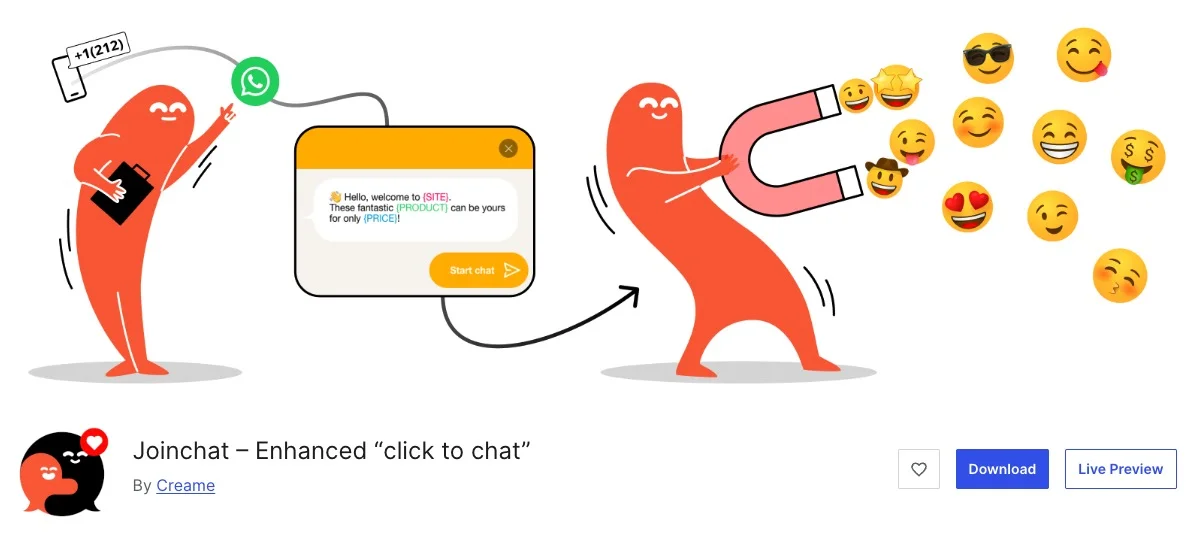
Joinchat has 700,000+ active installations on WordPress.org. Its free version runs on dependency-free JavaScript and includes a chat window that can show several message bubbles, links, and images.
Verified B2B-relevant features:
- Free WooCommerce button next to Add to Cart, even on products without a price
- Product variables for name, SKU, regular price, current price, and discount percentage
- Separate CTAs and messages for shop, product, and sale-product pages
- Visibility rules by page, product, category, and tag
- Free GA4, Google Tag Manager, and Facebook Pixel events, plus Google Ads conversions
- Premium: support agents with availability and chat funnels
Best for: Stores that want a fast free plugin with strong tracking and can wait on multi-agent features.
Pricing: Free. Premium is €96/year for one site on the Joinchat pricing page.
Pros: Lightweight front end, detailed free tracking, flexible per-product messages.
Cons: Multiple agents and scheduling require Premium, billed annually in euros.
3. Click to Chat
Click to Chat by HoliThemes has 600,000+ active installations on WordPress.org. It offers a lot of free placement and styling control.
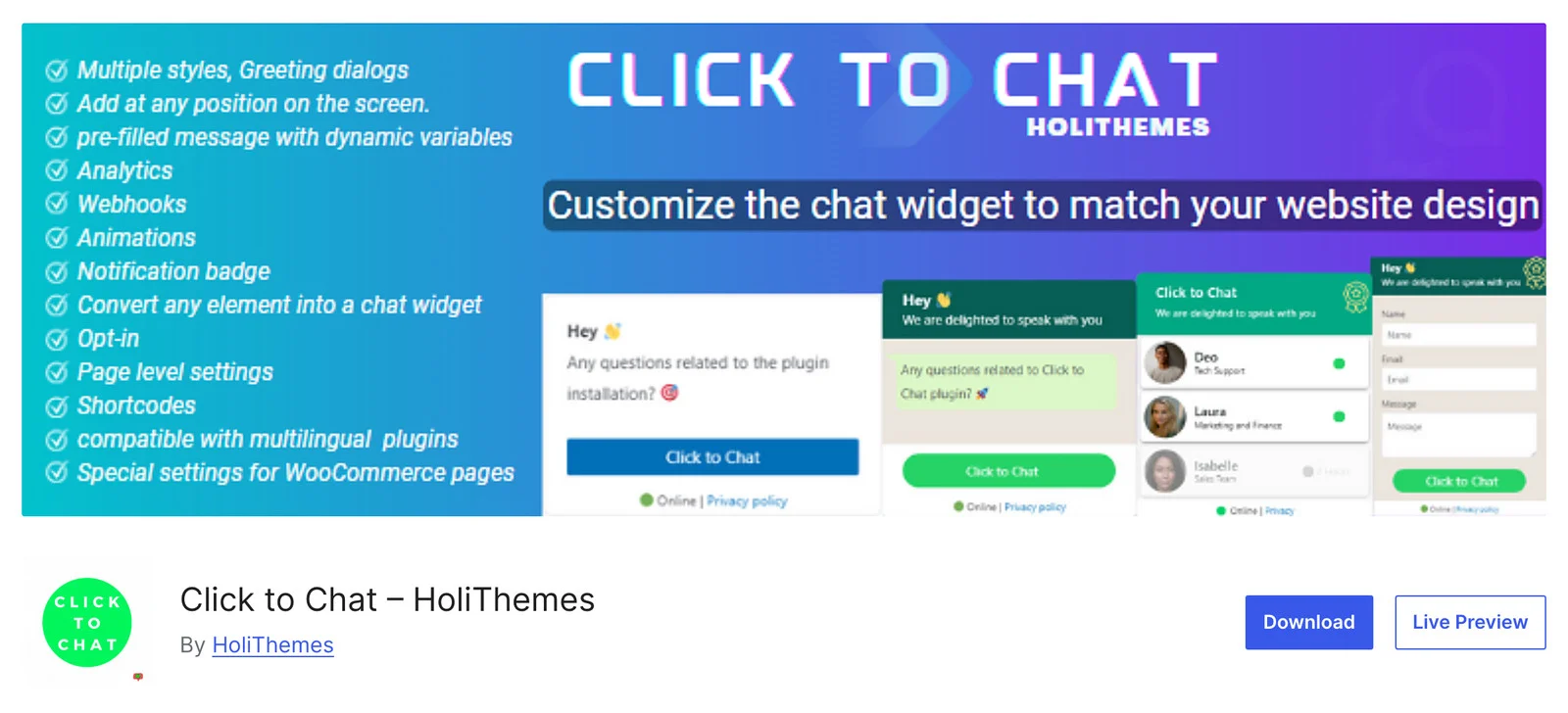
Verified B2B-relevant features:
- Free product-page button with 10 position options, plus shop-page display
- Product variables: {product}, {price}, {regular_price}, and {sku}
- Free display rules by post type, post ID, category, and device
- Free Google Analytics, Google Tag Manager, Meta Pixel, and Google Ads events
- PRO: multi-agent with time ranges, business hours, pre-chat forms, and display by country or login status
Best for: Budget-conscious stores that want precise button placement and free tracking.
Pricing: Free. The Click to Chat pricing page lists PRO from $18/year.
Pros: Free tracking, many button positions, and PRO targeting by login status, which helps separate trade and retail visitors.
Cons: Business hours and multiple agents are PRO-only. The free listing doesn’t describe a built-in analytics dashboard.
4. Social Chat
Social Chat by QuadLayers has 200,000+ active installations on WordPress.org. It covers product and archive pages, and Premium adds a WhatsApp payment gateway.
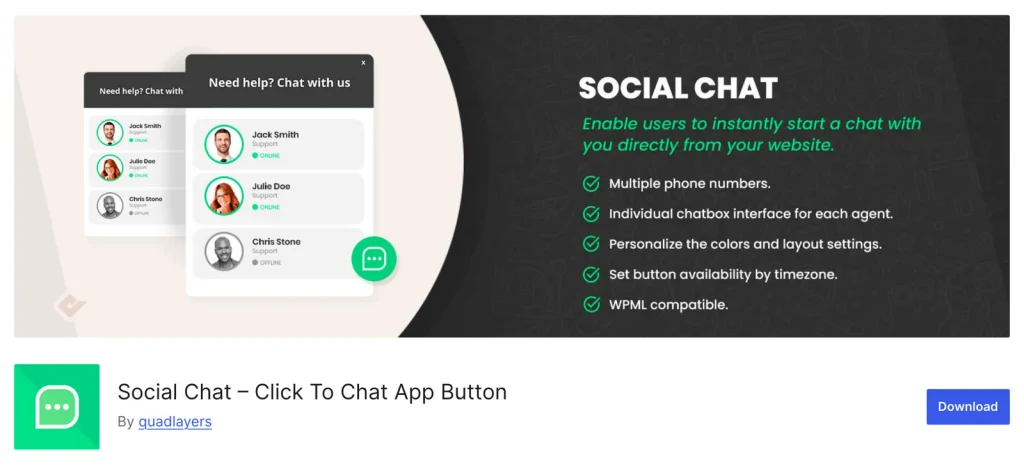
Verified B2B-relevant features:
- Free product-page button before or after the Add to Cart form, plus shop, category, and tag archive buttons
- Product variables: {PRODUCT_TITLE}, {PRODUCT_PRICE}, {PRODUCT_SKU}, and more
- Device visibility for WooCommerce buttons
- Premium: multiple agents with business hours, Google Analytics events, and a GDPR consent checkbox
- Premium: WooCommerce WhatsApp Payment Gateway with order variables
Best for: Stores that want WhatsApp involved at checkout, not just in pre-sale questions.
Pricing: Free (one WhatsApp number). Premium starts at $49/year or $99 lifetime for one site.
Pros: Archive-page buttons, a payment gateway option, and a highly rated free version.
Cons: Multiple agents, analytics, and consent handling all require Premium.
5. WP Chat App
WP Chat App by NinjaTeam has 100,000+ active installations on WordPress.org. It’s the only plugin here with multiple agents in the free version.
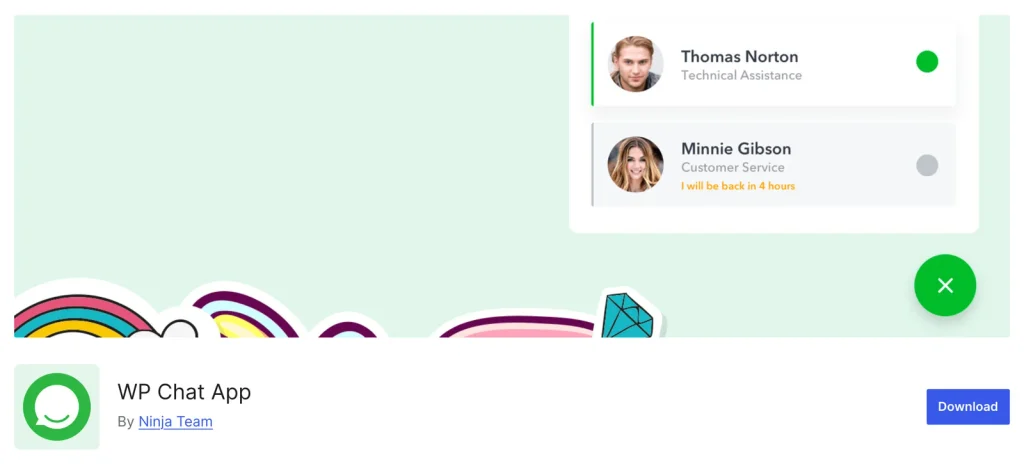
Verified B2B-relevant features:
- Free “Order on WhatsApp” button after Add to Cart
- Free multiple WhatsApp accounts, each with a name, title, and greeting
- Free choice of which agent handles each product
- Free working-hours display showing when an agent will be back
- PRO: custom schedules, more button positions, and GA4, Tag Manager, and Facebook Pixel tracking
Best for: Teams that route product lines to different reps and want that in the free version.
Pricing: Free. PRO is $89 for a regular license on CodeCanyon.
Pros: Free multiple agents and per-product agent assignment.
Cons: Tracking is PRO-only, and the free product button has one position (after Add to Cart).
How to Set Up Chat Help on a WooCommerce Wholesale Store
These steps use the free version. Setting names come from Chat Help’s documentation and WordPress.org screenshots.
- Install the plugin. Go to Plugins → Add New Plugin, search for “Chat Help,” then install and activate it.
- Choose a layout. In the Global Chat settings, pick a layout such as Single Agent or Single Form and check the live preview.
- Add your WhatsApp details. Set the WhatsApp type (number or group) and enter your sales number in international format.
- Set availability. Add your time zone and daily working hours. Outside of them, the agent shows as offline with your offline message.
- Turn on the WooCommerce Button. Pick a product-page position and write a pre-filled message, such as: “Hi, I’d like a bulk quote for {productName} (SKU: {productSku}). Quantity: ___.”
- Adjust appearance and privacy. Set colors and a tooltip. If you save leads through the Single Form layout, enable the GDPR consent checkbox.
- Test on desktop and mobile. Desktop should open WhatsApp Web, and mobile should open the app with your message filled in.
Practical Tips to Generate More B2B Sales Through WhatsApp
Installing a plugin is the easy part. These habits turn WhatsApp clicks into wholesale orders.
- Put product data in the first message. SKU and product name variables mean nobody has to ask “which item?”
- Ask for quantity up front. End the prefilled message with “Quantity:” or “Delivery postcode:” to prompt buyers to provide the information your sales team needs.
- Point buyers to published prices first. If you use WholesaleX to show tiered wholesale pricing, buyers can check their tier before messaging. WhatsApp then handles the exceptions.
- Define a quote process. Decide who answers bulk quote requests, how fast, and where the final quote lives. You might send formal quotes through a request-a-quote workflow and use WhatsApp for the back-and-forth.
- Separate sales and support. With multiple agents, route new wholesale inquiries to sales and order questions to support.
- Publish realistic hours. “Offline until 9 a.m.” beats an overnight wait.
- Make reordering easy. The WhatsApp Business app includes Labels and Quick Replies, so you can tag repeat buyers and answer common reorder questions faster.
- Send new trade buyers to registration. When a prospect asks how to get wholesale prices, link them to your wholesale registration form.
- Track inquiry-to-order results. Use your plugin’s analytics or GA events to see which products start conversations.
- Don’t send unsolicited promotions. Reply to conversations buyers start, and get permission before sending offers.
WhatsApp Chat vs. Built-in B2B Conversations in WooCommerce
WhatsApp is useful for quick product inquiries, stock checks, and informal communication with wholesale buyers. However, managing formal quotes, custom offers, and order-related discussions outside your store can make tracking B2B conversations more difficult.
WholesaleX offers a built-in Conversation feature that keeps customer inquiries, quote discussions, and custom offers organized within WooCommerce.
If your buyers prefer WhatsApp, you can use a WhatsApp chat plugin as an additional communication channel while managing structured B2B sales workflows through WholesaleX.
FAQs About WhatsApp Chat Plugins for WooCommerce
What are the best WhatsApp chat plugins for WooCommerce?
For wholesale and B2B stores, Chat Help is a strong choice. Its free version adds WhatsApp buttons to product, cart, and checkout pages, fills in product and stock details, and includes availability scheduling and analytics. WP Chat App is worth a look if you need multiple agents for free.
Can I add a WhatsApp button to WooCommerce product pages?
Yes. All five plugins in this guide add a WhatsApp button to single product pages in their free versions. Most can also insert product details, such as the name, price, and SKU, into the prefilled message.
Are there free WhatsApp chat plugins for WooCommerce?
Yes. Chat Help, Joinchat, Click to Chat, Social Chat, and WP Chat App all have free versions on WordPress.org with WooCommerce product buttons. Paid plans mostly add multiple agents, scheduling, deeper analytics, or advanced display rules.
Can wholesale customers contact sales representatives through WhatsApp?
Yes. Each plugin connects buyers to your WhatsApp number. To let buyers choose between reps, you need multi-agent support. WP Chat App includes it free, while Chat Help, Joinchat, Click to Chat, and Social Chat include it in paid plans.
Can I use WhatsApp for bulk order inquiries in WooCommerce?
Yes. A product-page button with a prefilled message containing the SKU and a quantity prompt works well for bulk inquiries. The plugin opens the conversation, and your team still confirms pricing, stock, and the final order in WooCommerce.
Do WhatsApp chat plugins support multiple agents?
Many do, usually in paid plans. Among the plugins here, only WP Chat App offers multiple agents free. Chat Help, Joinchat, Click to Chat, and Social Chat include multi-agent layouts or support agents in their Pro or Premium tiers.
Final Thoughts: Choosing the Right WhatsApp Chat Plugins for WooCommerce
Choosing between WhatsApp chat plugins for WooCommerce comes down to how your wholesale team sells. Ask three questions. Where do buyers get stuck: product pages, the cart, or registration? How many people answer inquiries? And how will you measure whether conversations become orders?
For most B2B stores, a good plugin passes along product context, shows honest availability, and stays out of the way. Your wholesale customer roles and pricing rules still do the heavy lifting. WhatsApp shortens the gap between a buyer’s question and a confident order.
