To run a professional wholesale operation on WooCommerce, you must go beyond basic retail settings and build a dedicated B2B infrastructure.
While WooCommerce provides the core engine, a successful wholesale store requires an additional “system” of interdependent functions to handle high-volume buyer relationships without breaking your retail flow.
Core Operational Requirements:
- Pricing Control: Implement Role-Based Pricing, tiered discounts, and Minimum Order Quantities (MOQ) to protect your margins.
- Buyer Segmentation: Create custom User Roles to separate B2B buyers from retail customers at a structural level.
- Onboarding Workflows: Use custom registration forms with manual or automatic approval logic to verify business tax IDs and credentials.
- Visibility Management: Restrict specific products, B2B-only categories, and wholesale prices to authorized users only.
- Bulk Ordering UX: Replace standard “Add to Cart” grids with Quick Order Forms and list-views for high-speed, high-volume purchasing.
- B2B Logistics: Configure Net-Payment terms (e.g., Net 30/60) and role-based shipping methods like LTL Freight.
Many merchants treat wholesale on WooCommerce like a side project. The logic is simple: “If my store can sell a single unit to a retail customer, it should be able to sell 500 units to a distributor.”
At first, that assumption feels reasonable.
You add a few bulk discounts, maybe create a separate price list, and start accepting larger orders.
But as soon as wholesale buyers behave differently from retail customers, friction starts to show up across your store operations.
It’s like trying to park a 747 in your neighbor’s driveway.
Most importantly, WooCommerce, by default, is not designed to manage wholesale functions and operations as a connected system.
This guide breaks down what it actually takes to run a wholesale business in WooCommerce – starting with where the platform excels, where it falls short, and which core functions must work together to support real-world wholesale operations. 👇
What WooCommerce Can and Cannot Do for Wholesale
WooCommerce is not a weak platform. In fact, it does several things exceptionally well.
The problem begins when wholesale businesses expect those same strengths to scale into B2B operations without structural changes.
Nearly 30 % of WooCommerce stores run B2B or wholesale operations, and these tend to have higher average order values – showing the real business opportunity if the platform can support it properly
To understand where wholesale breaks down, it’s important to distinguish what WooCommerce is designed to do from what wholesale operations actually require.
What WooCommerce Does Well (A Strong Retail Foundation)
At its core, WooCommerce is built to support retail commerce efficiently and predictably. Out of the box, it handles:
- Product catalogs with fixed pricing
- Inventory and stock management
- Standard checkout flows
- Tax and shipping calculation at order level
- Customer accounts with uniform behavior
This model works because retail assumes one buyer type, one visible price, and one purchase flow.
Why Wholesale Requirements Exceed Native WooCommerce Features
Wholesale commerce operates on a fundamentally different set of assumptions. Wholesaling isn’t just a variation in pricing; it has multiple operational complexities. For example:
- Different wholesale buyers expect different prices based on their agreement or volume.
- Not every buyer should see the same products, prices, or checkout options.
- Wholesale orders often follow a different buying flow than standard retail checkouts.
- Many purchases don’t happen instantly and require approval, negotiation, or rule-based validation before an order is placed.
Wholesale requires rules that change by buyer, by role, and by context. That’s where the mismatch begins.
Functional Limitations at a Conceptual Level
The limitations below are not missing checkboxes; they are structural constraints rooted in WooCommerce’s retail-first design.
⚠️ Single Price Layer
WooCommerce assumes each product has one active price, visible to all users. While sales and coupons exist, they are promotional and temporary, not buyer-specific.
Wholesale pricing, however, requires persistent price differentiation based on customer type, volume, or agreement.
⚠️ No Buyer Segmentation
By default, WooCommerce treats all customers the same. There is no native concept of wholesale-only buyers, tiered access, or segmented storefront visibility.
As a result, retail and wholesale customers share the same products, prices, and checkout logic unless additional layers are introduced.
⚠️ No Approval Workflows
Wholesale buyers often require verification and approval before purchasing.
WooCommerce’s registration system is designed for retail and does not support controlled onboarding or delayed purchasing permissions.
⚠️ No Negotiation or Quote Logic
Retail checkout assumes fixed prices and immediate payment. Wholesale transactions often involve negotiated pricing, custom quantities, and quote-to-order workflows.
WooCommerce has no native mechanism to support price negotiation or conditional order finalization. Everything is designed around add to cart → checkout → payment.
The Key Takeaway
WooCommerce does not fail at wholesale because it is underpowered. It struggles because wholesale is not a feature extension of retail – it’s an operational model of its own.
Understanding this distinction is critical. Once you view wholesale as a system of interdependent functions, the path forward becomes much clearer.
Core Wholesale Functions You Need to Create a WooCommerce Wholesale Store
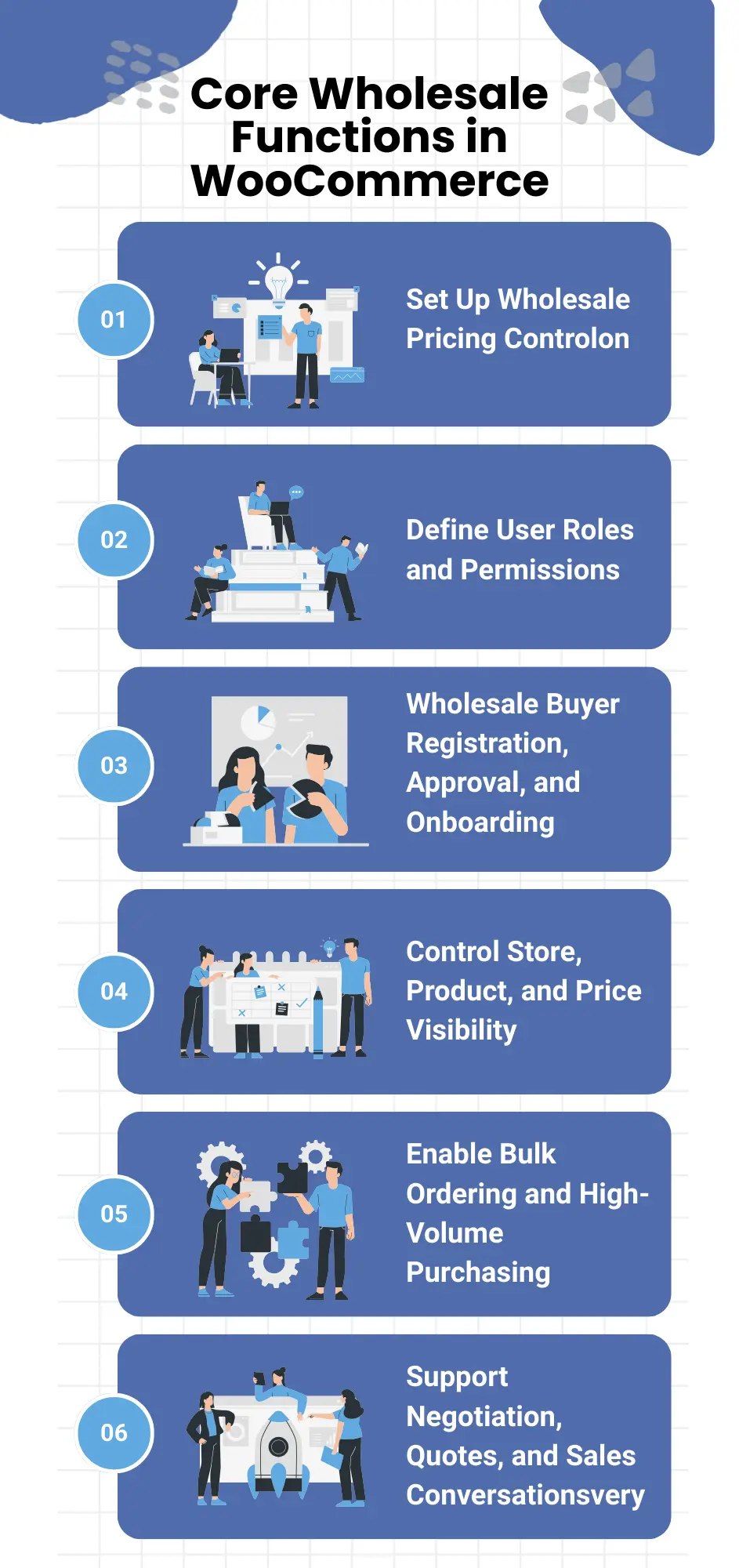
Running wholesale in WooCommerce isn’t about enabling a single feature. It’s about setting up a group of core functions that work together to support how wholesale buyers actually purchase, negotiate, and place repeat orders.
When these functions are configured in isolation, wholesale operations tend to break down. But when they’re introduced in the right order, the rest of the system becomes far easier to manage and scale.
Below are the foundational wholesale functions every WooCommerce store needs before moving into advanced workflows like bulk ordering or negotiated sales.
✅ Set Up Wholesale Pricing Control
Wholesale pricing is the first function that needs to be established, because it defines how value is exchanged between you and your buyers.
Unlike retail, wholesale pricing is rarely universal. Prices often vary based on buyer type, purchase volume, or commercial agreement. At the same time, wholesale business in WooCommerce needs safeguards to ensure that large orders remain profitable.
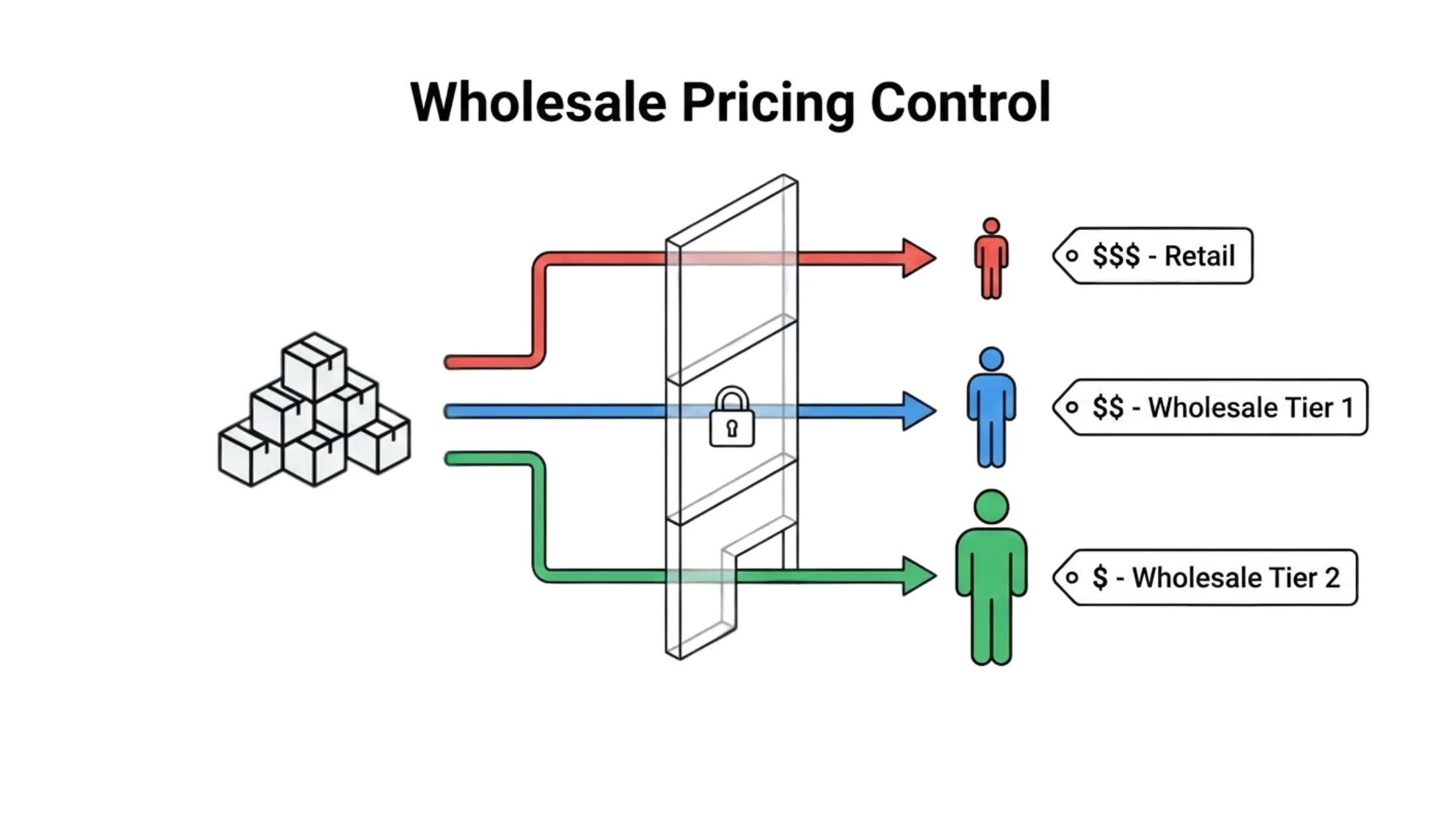
This is where pricing control goes beyond simple discounts. At a functional level, wholesale pricing typically involves:
- assigning different prices to different buyer types,
- enforcing minimum order quantities (MOQ) to protect margins,
- setting minimum order amount value (MOV) to keep fulfillment viable,
- and maintaining consistent pricing rules across repeat purchases.
- net payment terms and credit limits
Without these controls, wholesale pricing quickly becomes manual, inconsistent, and difficult to scale.
✅ Define User Roles and Permissions
Once pricing logic is in place, the next critical step is defining who the buyer is inside your WooCommerce store.
WooCommerce, by default, treats all customers the same. Wholesale operations can’t.
In WooCommerce, you will get only two user roles: B2C and Guest user. But for wholesaling, you will need multiple B2B roles to operate seamlessly.
Wholesale users often need:
- access to different pricing structures,
- different payment methods in checkout rules,
- and different operational permissions than retail customers.
This is where user roles come in.
Defining user roles allows you to separate wholesale customers from retail shoppers at a structural level.
At this stage, the focus is not on what buyers can see yet, but on:
- distinguishing wholesale users from retail customers,
- assigning permissions/access based on buyer type,
- and creating a stable foundation for role-based behavior across the store (pricing, discounts, product visibility, or even role-based shipping)
Without clearly defined user roles, every other wholesale function becomes harder to control.
✅ Control Store, Product, and Price Visibility
After a buyer is approved and onboarded, the next question becomes simple but critical: what should they be able to see?
Wholesale stores rarely expose the same, generic storefront to all visitors.
Visibility control determines:
- which products appear to which buyers,
- whether prices are shown or hidden, how much discount is available to which user role,
- and which purchasing options are available in the store interface.
This function is separate from buyer identity. Roles define who the buyer is. Visibility rules define what the buyer can access once logged in.
At an operational level, visibility control often includes:
- hiding wholesale-only products from retail customers,
- restricting pricing visibility to approved buyers,
- controlling access to checkout, shipping, or payment options based on user role.
With proper controls in place, the same WooCommerce store can support multiple buying experiences without conflict.
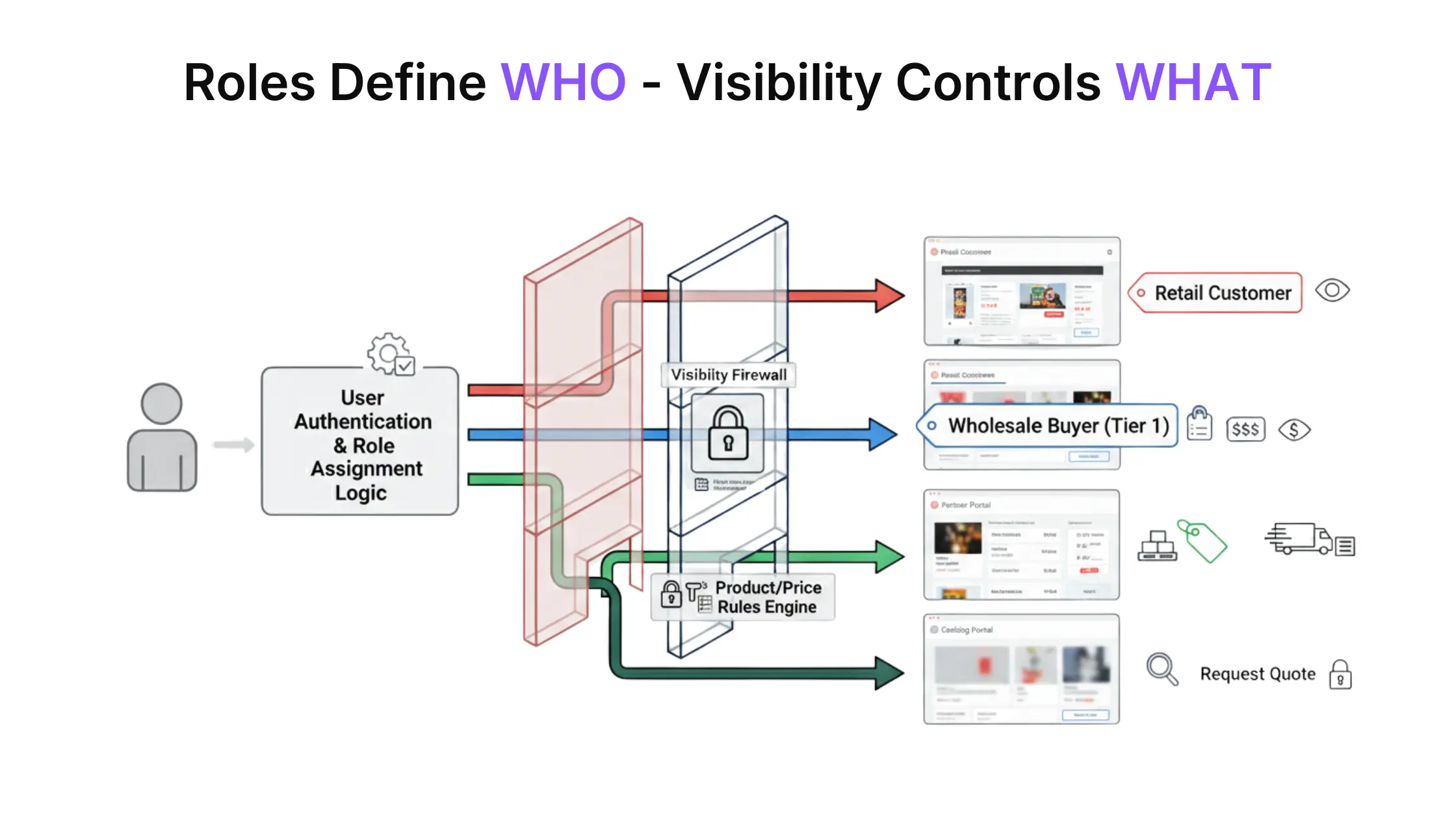
For certain roles, stores may hide prices entirely and create a catalog with quotes, ensuring pricing is disclosed only after review or approval.
✅ Implement a Wholesale Buyer Registration, Approval, and Onboarding System
Once buyer roles are defined, the next challenge is to control how wholesale buyers enter the system.
Retail stores can afford open registration. Wholesale businesses usually can’t.
Wholesalers often need to be:
- verified before gaining access,
- approved manually or through predefined rules,
- and onboarded with the correct role, pricing, and permissions from day one.
Registration, approval, and onboarding are not separate tasks; they are part of a single flow.
A buyer who registers without approval creates risk. A buyer who is approved without proper onboarding creates confusion.
At a functional level, this stage involves:
- collecting business-specific information during registration,
- reviewing or validating buyers before granting access,
- assigning roles automatically or manually after approval,
- and supporting account structures where one company may have multiple users (owners, purchasing managers, staff).
When onboarding is handled properly, wholesale buyers enter the store with the right access, the right expectations, and the right buying experience.
✅ Enable Bulk Ordering and High-Volume Purchasing
Wholesale buyers don’t shop the way retail customers do.
They already know what they want. Speed and efficiency matter more than browsing and product discovery.
Bulk ordering functionality is what allows wholesale buyers to place large, repeat orders without friction. It replaces the traditional product-by-product shopping flow with a quantity-driven experience.
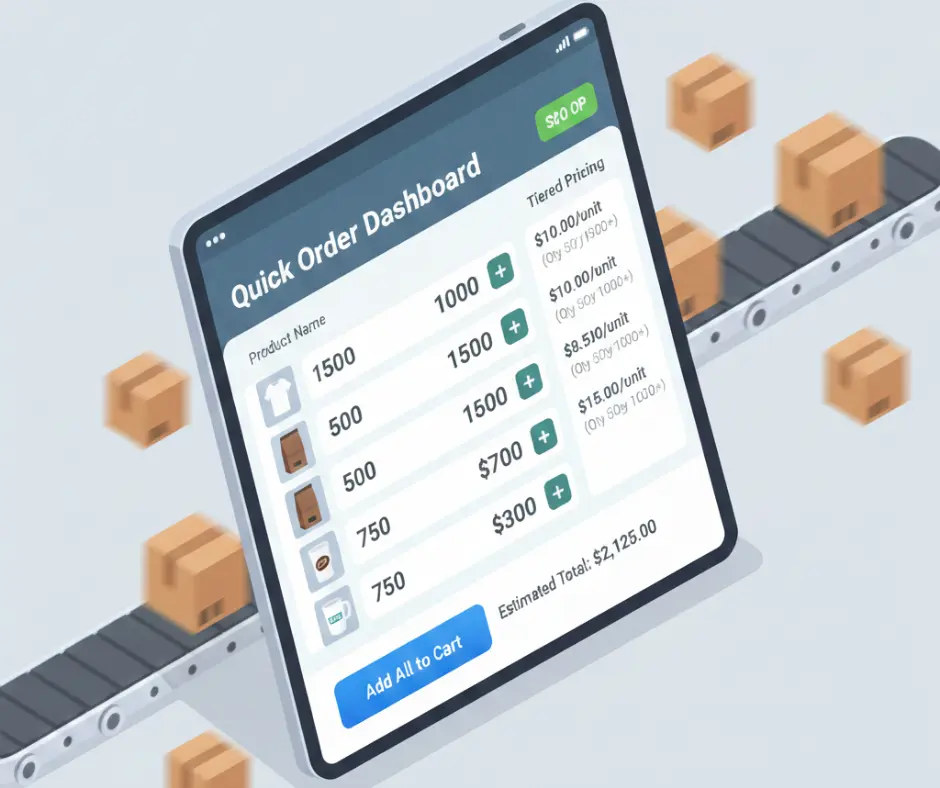
At this stage, wholesale operations typically require:
- bulk order forms or quick-order interfaces,
- the ability to add multiple products at once,
- and workflows optimized for high-volume purchasing with tiered pricing & discounts.
With it, ordering becomes faster, more accurate, and aligned with real wholesale behavior.
✅ Support Negotiation, Quotes, and Sales Conversations as a Built-in System
Not all wholesale orders end at checkout.
Many wholesale transactions begin as conversations. Prices may be negotiated. Quantities may change. Terms may need confirmation before an order is finalized.
This is where wholesale moves beyond transactional commerce into business-level relationship-driven sales.
Supporting negotiation and quote-based ordering allows:
- buyers to request custom pricing,
- store owners to review and respond before committing,
- and both sides to convert discussions into structured orders.
Functionally, this stage introduces:
- quote requests instead of immediate checkout,
- negotiated pricing tied to specific user roles or orders,
- and communication flows between buyers and store operators.
With it, conversations stay connected to the ordering system, improving clarity, tracking, and conversion.
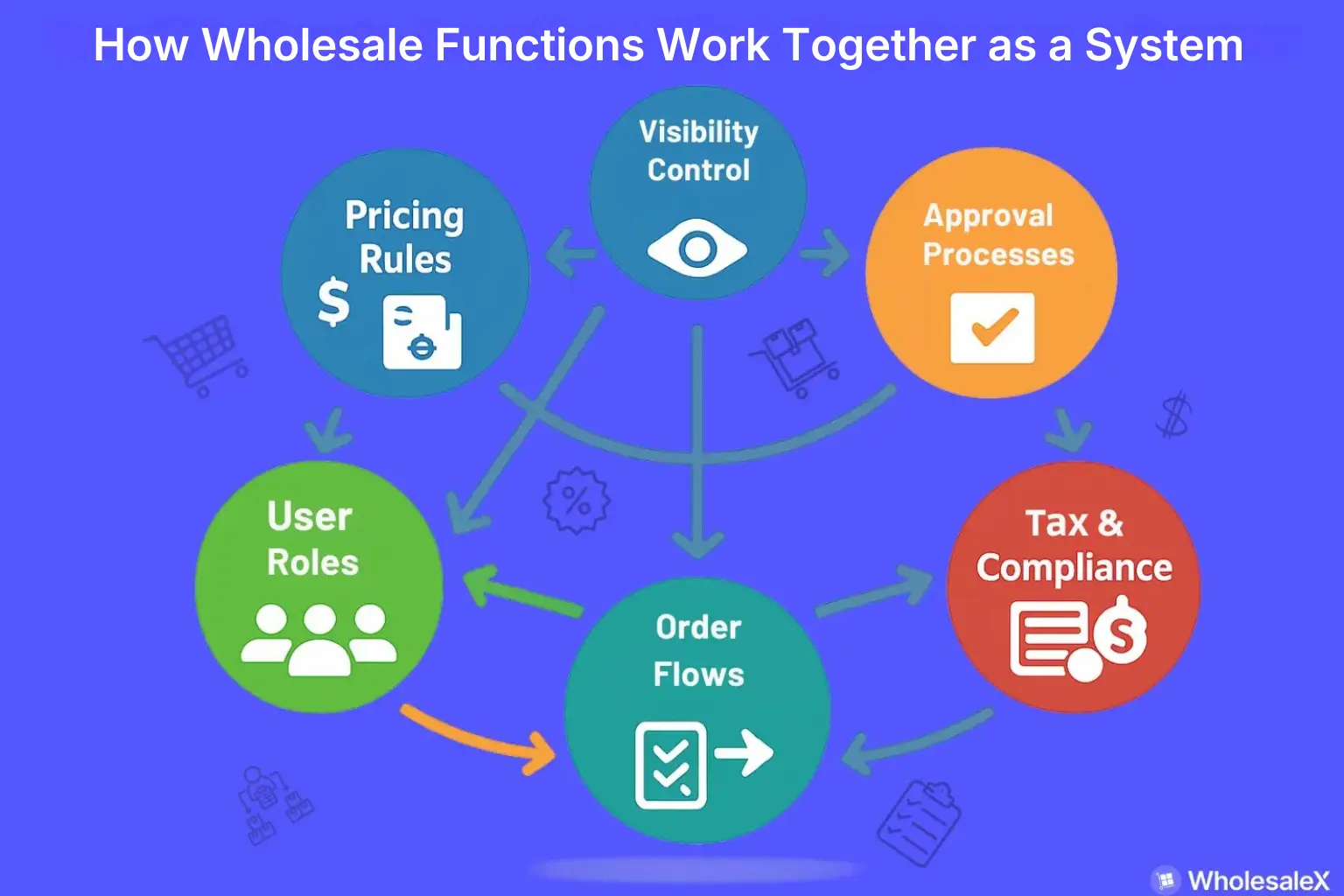
How Core Wholesale Functions Work Together as an Interconnected System
In wholesale, every function influences another.
Pricing decisions affect who should have access. Access rules depend on how buyers are onboarded. Onboarding determines how orders are placed.
When these pieces are configured independently, the system becomes fragile, even if each part works on its own.
To run wholesale reliably in WooCommerce, these functions must be designed to work together, not merely coexist.
Why Wholesale Fails When Functions Are Isolated?
A common pattern in struggling wholesale stores looks like this:
👉 Pricing rules are added without clear buyer roles,
👉 Roles exist, but access and visibility are inconsistent,
👉 buyers are approved manually, but ordering flows remain retail-focused,
👉 Tax and compliance checks happen outside the system.
Each decision solves a local problem, but creates downstream friction.
Wholesale is operationally unforgiving. Small mismatches, such as the wrong buyer seeing the wrong price or an unverified business placing a tax-exempt order, can have fatal consequences.
That’s why wholesale must be approached as a connected operational model, not a checklist of features.
The Interdependence That Defines Wholesale Operations
Wholesale systems work because each function reinforces the next.
Pricing ↔️ Roles
Pricing rules only make sense when tied to clearly defined user roles. Without roles, pricing logic has no stable reference point, and exceptions start piling up.
Roles ↔️ Access
Once roles exist, access rules determine how those roles behave inside the store. This includes what buyers can see, which checkout options they can use, and which workflows apply to them.
Access ↔️ Onboarding
Access control depends on how users are onboarded. Approval workflows, account verification, and role assignment must happen before users enter the active purchasing environment.
Onboarding ↔️ Ordering
The onboarding process sets expectations for how buyers will place orders, whether through bulk ordering, standard checkout, or quote-based workflows. Poor onboarding leads to ordering confusion and manual intervention.
When these relationships are aligned & synced, wholesale operations feel predictable and scalable.
B2B Tax and VAT Validation as a System Function
Tax handling in wholesale is a good example of why systems thinking matters. Retail tax logic assumes:
- uniform tax treatment (shipping tax or product tax),
- immediate checkout,
- limited buyer verification.
Wholesale does not. B2B transactions often require:
- VAT or tax ID validation,
- conditional tax exemptions,
- region- or buyer-specific tax rules.
Tax validation cannot live in isolation. It depends on:
- verified buyer identity,
- approved onboarding status,
- and role-based purchasing permissions.
If tax logic is disconnected from onboarding and access control, compliance becomes manual and error-prone. When it’s integrated into the system, tax handling becomes predictable and enforceable without slowing down sales.
The Core Insight
Wholesale is not a collection of features layered onto WooCommerce.
It’s a sequence of dependent decisions that shape how buyers enter, interact with, and order from your store.
When these functions work together, wholesale operations scale with less friction. When they don’t, complexity grows faster than revenue.
Effective Approach for Extending WooCommerce for Wholesale Operations
Once wholesale functions are understood as a connected system, the next question becomes practical: how are these capabilities actually implemented in real life, in a WooCommerce store?
The answer lies in WooCommerce’s extensible architecture. WooCommerce is intentionally designed as a flexible commerce framework, not a fixed wholesale solution.
This allows store owners to start with a retail foundation and extend it as business requirements evolve – without rebuilding the store from scratch.
WooCommerce’s Extensible Nature
WooCommerce separates its core commerce engine from advanced business logic.
Out of the box, it handles:
- products and orders,
- customer accounts,
- checkout and payments,
- and basic tax and shipping rules.
More complex workflows like wholesale pricing, buyer approvals, access control, or negotiated orders are expected to be layered on top of this core.
This design is not a limitation. It’s what makes WooCommerce adaptable to different business models, including wholesale and B2B.
Why Wholesale Functionality is Added Through Extensions
Wholesale requirements vary widely between businesses.
Some stores need simple role-based pricing. Others require approval workflows, tax validation, or multi-user buyer accounts.
Many need all of the above, working together.
Because these needs differ by industry, region, and sales model, WooCommerce does not enforce a single wholesale implementation.
Instead, additional functionality is typically introduced through extensions that add or modify behavior without changing the core system.
This approach allows:
☑️ incremental adoption of wholesale features,
☑️ flexibility as requirements grow,
☑️ and separation between core stability and business-specific logic.
Common Approaches to Extending WooCommerce for Wholesale
There is no single “correct” way to extend WooCommerce for wholesale. Most stores choose an approach based on scale, complexity, and internal resources.
- Using Plugins
Plugins are the most common starting point. They allow store owners to:
- Add wholesale pricing and buyer roles quickly,
- implement approval and access control without custom code,
- and adapt existing workflows with minimal technical overhead.
For many growing wholesale stores, plugins provide enough structure to operate efficiently while remaining flexible.
- Custom Development
Custom development is usually introduced when wholesale requirements are highly specific.
This approach is often chosen when:
- pricing logic is complex or non-standard,
- workflows must integrate tightly with external systems,
- or existing solutions don’t align with internal processes.
While powerful, custom development requires high ongoing maintenance and a clear understanding of technical system dependencies.
Managing a Hybrid Store: Retail and Wholesale Together
Many WooCommerce stores operate both B2C and B2B in the same store. This “hybrid” model introduces additional considerations:
👉 Segmentation: Retail and wholesale buyers must be clearly distinguished, often via roles, to prevent pricing or access conflicts.
👉 Visibility: Certain products, categories, or pricing rules may only be available to wholesale customers.
👉 Checkout and fulfillment: Shipping, payment methods, and order minimums often differ between retail and wholesale buyers.
👉 Scalability: Systems must support two distinct workflows without creating operational friction.
To maintain this complex function and scenario, you will need plugins that configure dynamic rules. Or you can build it through custom development.
Successfully managing a hybrid store requires thinking of wholesale and retail not as separate stores, but as two interdependent flows within the same platform, with controlled access, pricing, and operations.
WholesaleX was built specifically to solve the system-level challenges outlined in this guide. Designed as a wholesale plugin for WooCommerce, it focuses on building the missing B2B infrastructure rather than isolated features.
Choosing What Wholesale Functionality to Implement First
Wholesale functionality can feel overwhelming if everything is considered at once.
The key is to prioritize based on your current business needs. Think of these as decision cues rather than steps (actions you take depend on your situation, not a fixed sequence)
| Decision Cue | Focus Area | Key Actions |
|---|---|---|
| You already have B2B buyers | Pricing & Roles | ✔️ Ensure correct prices per buyer type (with MOQ/MOV) ✔️ Assign buyer roles so pricing rules, access, and workflows function consistently |
| Buyers request custom prices | Quotes & Negotiation | ✔️ Enable request-a-quote or negotiated pricing ✔️ Track quotes and approvals integrated with order management ✔️ Tie negotiated prices to buyer roles and permissions |
| Order volume is increasing | Bulk Orders & Pricing Tiers | ✔️ Introduce bulk order forms or quick-add interfaces ✔️ Implement tiered pricing for larger orders ✔️ Support account hierarchies for multiple users per company |
By following these cues, you ensure that each wholesale function is implemented at the right time, minimizing friction and keeping operations scalable.
Pricing without roles, or negotiation without proper onboarding, can create bottlenecks that grow faster than revenue.
FAQs
Can WooCommerce run a wholesale business without additional tools?
WooCommerce alone provides a retail foundation, but wholesale operations require features like tiered pricing, buyer roles, approval workflows, and bulk ordering. Without extensions or custom solutions, managing these functions manually is quite impossible.
Is wholesale pricing alone enough to run a WooCommerce wholesale store?
No. Pricing is only one part of the system. Without proper buyer roles, access control, onboarding, and order workflows, pricing alone cannot prevent errors, unauthorized access, or operational bottlenecks.
What is the difference between wholesale and B2B in WooCommerce?
Wholesale generally refers to selling products in large quantities at specialized prices, often to registered business buyers.
B2B (business-to-business) can include wholesale but also encompasses complex workflows like negotiated pricing, multi-user accounts, tax/VAT validation, and custom ordering processes. Essentially, wholesale is a subset of broader B2B operations.
When is it necessary to add wholesale-specific functionality?
Add wholesale features when:
➡️ You have registered B2B buyers placing orders
➡️ Buyers request custom pricing or negotiated quotes
➡️ Order volumes increase and bulk workflows are needed
➡️You want to manage hybrid stores serving both retail and wholesale customers efficiently
Can retail and wholesale run together in one WooCommerce store?
Yes. Hybrid stores can serve both B2C and B2B buyers in the same WooCommerce instance. Success requires clear role definitions, visibility rules, pricing separation, and workflow management to avoid conflicts between retail and wholesale operations.
Does running wholesale in WooCommerce affect performance or scalability?
It can, if functions are implemented haphazardly. Large orders, complex pricing rules, and multiple buyer roles add computational load. Using optimized plugins, structured workflows, and proper onboarding ensures performance remains stable as your wholesale operations scale.
Conclusion: From Retail Store to Wholesale Operation
Transitioning from a retail-focused WooCommerce store to a fully functional wholesale operation is more than just adding bulk discounts or bulk order forms.
It requires a systemic approach:
- establishing pricing logic tied to buyer roles,
- onboarding and approving wholesale buyers,
- managing visibility and access,
- enabling bulk ordering, tiered pricing, and negotiated workflows.
When these functions work together, your store can handle the complexities of wholesale, while still supporting retail customers if needed.
Wholesale isn’t an add-on; it’s a structured system built on the right foundations.
For store owners ready to implement these capabilities efficiently, WholesaleX provides the tools and workflows to bring this system to life, bridging the gap between WooCommerce’s retail defaults and a professional wholesale operation.
For more helpful tips, stay connected with our LinkedIn Newsletter.